


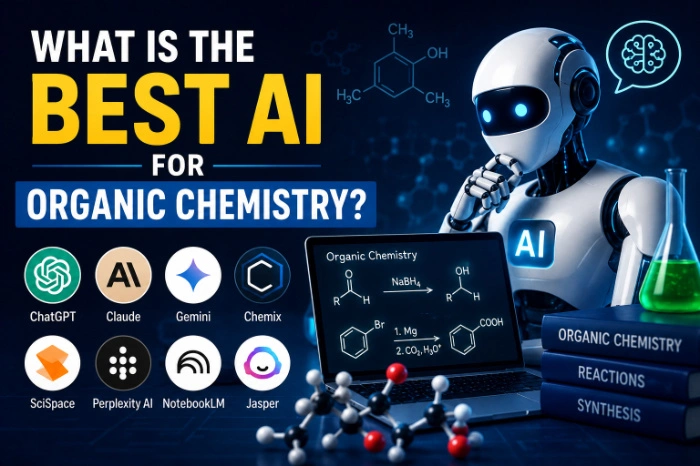
What Is The Best AI For Organic Chemistry
What Is the Best AI for Organic Chemistry?
I still remember sitting at my kitchen table at 1 AM, staring at a reaction mechanism for E1 vs E2 eliminations, completely lost. My textbook explained it in the driest way possible, my professor’s office hours were long over, and I had an exam in eight hours.
Out of pure desperation, I opened ChatGPT and typed out the reaction I was stuck on.
That night changed how I study organic chemistry completely.
Since then, I’ve tested a bunch of AI tools — some genuinely helpful, some that gave me flat-out wrong mechanisms that I only caught because my TA laughed at my homework. So this isn’t a “top 10 AI tools” listicle written by someone who never touched a Fischer projection. This is what actually worked for me, what didn’t, and what I wish someone had told me before I wasted hours trusting the wrong answer.
Why Organic Chemistry Is Genuinely Hard for AI Too
Before jumping into tools, here’s something worth understanding: organic chemistry isn’t like asking “what’s the capital of France.” It’s spatial, it’s mechanistic, and a lot of it depends on drawing electron movement correctly — arrows, lone pairs, resonance structures.
Text-based AI, at its core, predicts words. It doesn’t “see” a molecule the way you or I do when we sketch it on paper. So even really good AI models can occasionally mix up stereochemistry or miss a subtle steric effect. Knowing this upfront saved me from blindly trusting every answer.
The AI Tools I Actually Used (And What Happened)
1. ChatGPT (GPT-4 and later versions)
This became my go-to for talking through reaction mechanisms out loud, basically. I’d type something like “why does this SN1 reaction favor the more substituted carbocation” and it would walk me through carbocation stability, hyperconjugation, all of it, in plain language.
What I liked: it explains the “why,” not just the “what.” That’s huge for organic chemistry because memorizing reactions without understanding them falls apart the moment a professor changes the substrate slightly.
What tripped me up: early on, I asked it to predict the major product of a Grignard reaction with a slightly unusual substrate, and it gave me an answer that ignored a competing elimination pathway. I only caught it because I cross-checked with my textbook. Lesson learned — always verify mechanism-heavy answers, especially with less common reagents.
2. Claude
I started using Claude mostly for breaking down long, dense reaction sequences — like multi-step synthesis problems where you have to work backward from the product. It’s noticeably careful about not overstating confidence, and it tends to flag when a mechanism could go more than one way depending on conditions, which is honestly more realistic than a tool that just gives you one clean answer every time.
I also used it to reformat my messy handwritten notes into clean study guides, which sounds minor but saved me a stupid amount of time before exams.
3. Wolfram Alpha
Not really “AI” in the conversational sense, but I can’t leave it out. This is where I went for anything numerical — molecular weights, quick formula checks, balancing equations. It’s not going to explain a reaction mechanism to you like a tutor would, but for hard factual/computational stuff, it rarely lets me down.
4. Perplexity AI
When I needed to double-check something against actual sources — like confirming a specific named reaction’s discovery or mechanism details — Perplexity was useful because it shows citations. Organic chemistry has a lot of named reactions (Diels-Alder, Wittig, Aldol) and sometimes I just wanted a quick source-backed refresher instead of a generic explanation.
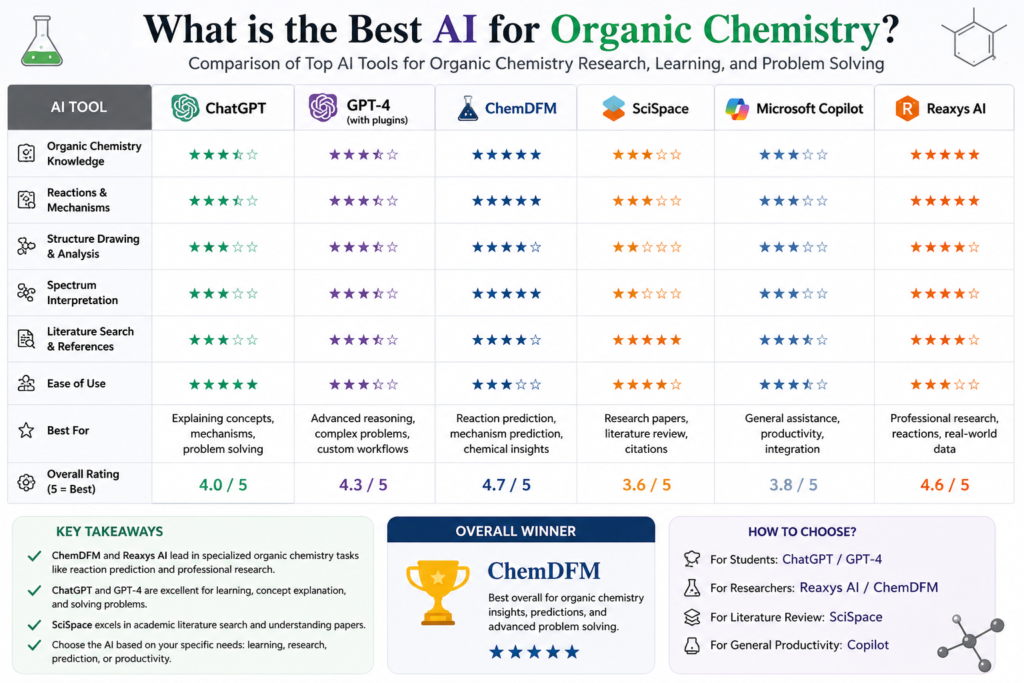
5. Chemistry-specific tools (ChemDraw + AI plugins, Reaxys)
If you’re further along — think upper-level undergrad or research — general chatbots start to feel limited. That’s when I leaned on ChemDraw for actually drawing structures accurately, sometimes paired with AI-assisted prediction plugins for retrosynthesis. These aren’t free, and they’re overkill if you’re just trying to survive Orgo 1, but for research-level work they’re worth knowing about.
So… What’s Actually the “Best” One?
Honestly? There isn’t a single winner. It depends on what you’re stuck on.
Here’s how I ended up splitting my usage:
- Understanding a concept or mechanism in plain English → ChatGPT or Claude
- Working through long, multi-step synthesis problems → Claude
- Quick calculations, formulas, molecular weights → Wolfram Alpha
- Fact-checking or finding sources for named reactions → Perplexity
- Actually drawing structures or research-level retrosynthesis → ChemDraw
If I had to pick just one for a typical student dealing with homework and exam prep, I’d say start with ChatGPT or Claude for the explanations, and keep Wolfram Alpha open in another tab for anything numerical.
Step-by-Step: How I Actually Use AI to Study Organic Chemistry
- I attempt the problem myself first. This part matters more than people think. If you skip straight to AI, you’re not building the mechanism-recognition instinct you need for exams (calculators and AI usually aren’t allowed there).
- I ask the AI to explain, not just answer. Instead of “what’s the product,” I ask “walk me through the mechanism step by step and explain why this pathway is favored.” That framing consistently gives better, more educational responses.
- I cross-check anything unusual. If the substrate is uncommon or the reaction has multiple possible pathways, I verify against my textbook or ask the AI to compare two possible mechanisms and explain which is more likely and why.
- I ask for a “teach it back to me” style summary. After a long explanation, I’ll say “summarize this like you’re prepping me for a flashcard.” This turned into some of my best study material.
- I use it to generate practice problems. This one’s underrated. I’d ask for three practice problems on a topic I was shaky on, attempt them, then have the AI check my mechanism.
Mistakes I Made (So You Don’t Have To)
- Trusting a single AI answer without verifying stereochemistry. I once submitted a homework answer with the wrong enantiomer because I didn’t double-check the 3D orientation. Always sketch it out yourself.
- Asking vague questions. “Explain aldol condensation” gives a generic textbook answer. “Explain why this specific aldol reaction gives this specific stereochemical outcome” gives you something actually useful.
- Skipping the manual practice. AI is a study aid, not a substitute for actually drawing mechanisms with your own hand. Exams don’t come with a chatbot.
- Not questioning confident-sounding wrong answers. AI can sound completely sure of itself while being wrong. If something feels off, it’s worth double-checking rather than assuming the AI knows best.
A Quick Reality Check
None of these tools are a replacement for a good professor, a solid textbook, or your own practice. What they’re genuinely good for is filling in the gaps — the moments when you’re stuck at midnight and just need someone (or something) to explain a concept differently than your textbook did.
Organic chemistry rewards pattern recognition and understanding “why,” not memorization. Used the right way, AI tools speed up that understanding. Used the wrong way — as a shortcut to skip actually learning the material — they’ll hurt you come exam time.
Final Thoughts
If you’re wondering which AI is “the best” for organic chemistry, my honest answer is: use ChatGPT or Claude as your explainer and study partner, keep Wolfram Alpha nearby for calculations, and don’t be afraid to double-check anything that seems off. That combination got me through some genuinely brutal reaction mechanism units, and it’s the setup I still recommend to anyone in the same boat I was in that night at my kitchen table.
Whatever tool you pick, the real trick isn’t the AI — it’s how you use it. Ask better questions, verify the tricky stuff, and actually practice drawing those mechanisms yourself. That’s what sticks on exam day.






Leave a Reply