


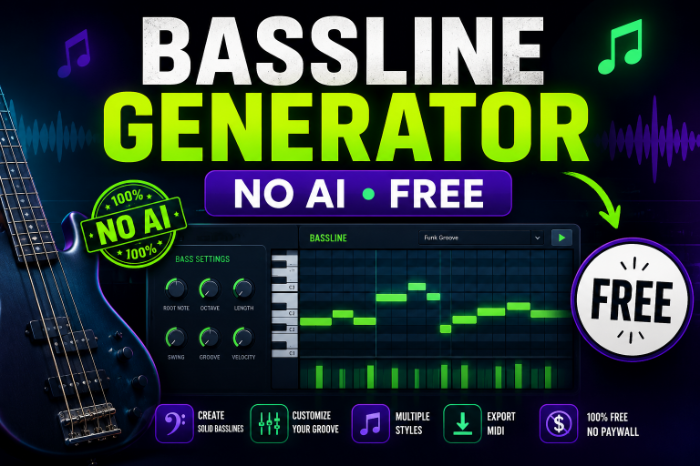
Bassline Generator With No AI free
I Was Sick of AI Bassline Tools, So I Went Looking for Something Simpler (Here’s What Actually Works)
A few months back I was working on a house track at 1 a.m., completely stuck on the bassline. I did what everyone does now — typed “bassline generator” into Google, clicked the first result, and got dumped into some AI tool asking me to sign up, connect my email, and “let the algorithm learn my style.”
I didn’t want an algorithm to learn my style. I wanted a plugin that would spit out a few groovy patterns I could tweak myself, without training a neural net on my questionable taste in trap basslines. Bassline Generator With No AI free
Turns out I’m not the only one. A lot of producers, especially people just messing around at home, want the old-school kind of bassline generator — the kind that uses actual music theory, scales, and randomization logic, not machine learning models scraping your usage data. If that’s you, this is basically everything I wish someone had told me before I wasted a weekend testing tools.
Why “No AI” Actually Matters Here
I know “no AI” sounds like a weird flex in 2026, but hear me out.
The AI-powered bassline tools I tried had three annoying habits:
- They generate stuff that sounds impressive at first but blends into every other AI-made bassline out there
- Most gate the good features behind a subscription
- A lot of them need an account and internet connection just to make a 4-bar loop
A rule-based generator — one that uses scale patterns, arpeggiation logic, and randomized rhythm within musical constraints — gives you way more control. You’re not waiting for a model to “understand” what you want. You just twist a knob or hit a dice icon and get something you can actually shape into your own sound.
The Tools I Actually Tested (and Kept Using)
1. LMMS’s Built-in Piano Roll + Chord/Scale Tools
If you already use LMMS (free, open source, works on Windows, Mac, and Linux), you don’t need a separate plugin at all. LMMS has a scale-lock and chord tool baked into the piano roll.
Here’s the trick I stumbled onto: lock the scale to something like A minor, drop in a simple rhythm using the “randomize” function in the piano roll, then manually chop notes to a root-fifth-octave pattern. It’s not fully automated, but it takes maybe two minutes and gives you full control over the groove.
2. VCV Rack (Free, Modular)
This one surprised me. VCV Rack is a free modular synth environment, and there are community-made bassline sequencer modules — things like the classic “Bogaudio” or “AS” sequencer modules — that let you build a bassline generator from scratch using probability and gate logic.
It’s more of a learning curve, not gonna lie. My first attempt sounded like a dial-up modem having a meltdown. But once you get the hang of connecting a clock, a sequencer, and a quantizer module, you can build a generator that spits out endless bass patterns locked to any scale you want. No AI, no cloud, no subscription — just patch cables and logic. Bassline Generator With No AI free
3. Cthulhu by Xfer Records (Free)
This one’s a chord and arpeggio MIDI plugin, technically not a pure “bassline generator,” but I use it constantly for basslines because you can restrict it to low octaves and use the arpeggiator modes to create movement. It works as a VST/AU plugin inside any DAW that supports MIDI effects — FL Studio, Ableton, Reaper, whatever you’re on.
Drop it before a synth, pick a scale, set the arpeggio to something like “up-down” or “random,” and drag the octave range down low. Instant bassline ideas, all rule-based, zero AI.
4. Bassline (the actual plugin) by Initial Audio — Free Version
There’s a plugin literally called Bassline by Initial Audio, and the free/lite version gives you a step sequencer specifically built for basslines, similar to the old Roland TB-303 workflow. You draw in notes on a grid, tweak the glide and accent, and it generates that classic acid-bassline movement.
This became my go-to when I wanted something that felt more “instrument” than “generator.” It’s not randomizing anything for you — you’re building it — but if what you actually want is a proper 303-style workflow without paying for Xfer Serum’s bassline presets, this covers it.
My Honest Step-by-Step Process Now
I’ll walk you through exactly what I do these days when I need a bassline fast, no AI involved.
Step 1: Pick your scale first, not your notes. I used to just start clicking random notes into the piano roll and hoping it sounded good. Waste of time. Now I lock the scale in LMMS or use a quantizer module in VCV Rack before touching anything else.
Step 2: Set a simple rhythm skeleton. Basslines usually work best with some repetition. I’ll do something like a dotted-eighth pattern or straight 16ths with gaps, then let the generator/randomizer fill in pitch movement within my chosen scale.
Step 3: Randomize, then curate. This is the part people skip. Whether you’re in LMMS’s piano roll or Cthulhu’s arpeggiator, hit randomize a bunch of times and actually listen to each result. Don’t just take the first one. I usually go through 8 to 10 variations before picking one worth keeping.
Step 4: Manually adjust the “wrong” notes. Nine times out of ten, the generated pattern has one or two notes that clash. Instead of scrapping the whole thing, I just move those notes to the nearest scale tone. This step alone makes a random pattern sound intentional.
Step 5: Add accent and glide. If your tool supports it (Bassline by Initial Audio does this really well), add slight velocity variation and glide between certain notes. This is what separates a robotic-sounding loop from something that feels alive. Bassline Generator With No AI free
Mistakes I Made So You Don’t Have To
Honestly, my first few attempts at using these tools were rough. Here’s what tripped me up:
I ignored the scale lock at first, thinking I could “fix it in the mix.” You can’t. A bassline that clashes with your chords will always sound off, no matter how much EQ or compression you throw at it.
I also over-relied on full randomization without curating results. The first pattern isn’t always the best one — sometimes the fifth or sixth randomized version is way better, but I was too impatient to keep clicking.
Another one: I tried using VCV Rack without watching a single tutorial first. Total mess. If you’re going the modular route, spend twenty minutes on a YouTube walkthrough of basic sequencer-to-quantizer patching before you touch it. It’ll save you hours of confusion.
Last mistake — I assumed “free” plugins would sound cheap. Cthulhu and the free version of Bassline both genuinely hold up next to paid stuff. Don’t sleep on them just because they don’t cost anything.
A Quick Real-World Example
For a recent track, I used LMMS’s scale lock with a C minor pentatonic setup, randomized a 16-step rhythm, kept about 60% of the generated notes, and manually adjusted the rest to fit a simple call-and-response with the kick pattern. Took maybe 15 minutes total, and the bassline ended up being the part people commented on most when I shared the track in a small producer Discord group.
No AI subscription, no cloud rendering, no waiting on a server. Just a scale, a randomizer, and some manual editing. Bassline Generator With No AI free
Final Thoughts
If you’re tired of every “bassline generator” search result trying to sell you an AI subscription, the tools already exist — they’re just older-school and require you to actually engage with the music theory a bit. LMMS, VCV Rack, Cthulhu, and Initial Audio’s Bassline plugin cover pretty much every workflow, whether you like piano roll editing, modular patching, or step sequencing.
The upside of going this route is that you end up learning why a bassline works, not just accepting whatever an algorithm hands you. And honestly, that knowledge sticks with you a lot longer than any generated loop ever will.








Leave a Reply