


AI Agent Development Services
AI Agent Development Services: What to Know Before You Spend a Rupee, Dollar, or Euro
Picture this: a founder tells a vendor, “I want an AI agent that handles our customer support.”
Three weeks later, the vendor sends a demo. It looks amazing. It answers questions, sounds friendly, and even apologizes nicely.
Then it goes live and tells a customer they qualify for a refund the company doesn’t offer.
This kind of story is common. The demo worked because the questions were easy. Real customers ask messy, weird, emotional questions.
If you’re looking into AI agent development services, this guide will save you some pain. I’ll cover what these services actually do, how to pick one, how to start small, and where projects usually go wrong.
First, what are you actually buying?
Forget the buzzwords for a second.
A chatbot answers questions. An AI agent does things. It reads an email, checks your order system, drafts a reply, updates the CRM, and asks a human for approval when it’s unsure.It’s also where the risk is.
When you hire an AI agent development service, you’re usually paying for four things:
- Workflow design. Figuring out which task should be automated and where a human stays involved.
- Integration. Connecting the AI to your real tools, like Gmail, Slack, HubSpot, Shopify, Google Sheets, or your own database.
- Prompting and logic. Telling the model how to behave, what it may do, and what it must never do.
- Testing and monitoring. Making sure it keeps working after launch, which is the part people forget.
The model is a rented engine.
The tools you’ll hear about
You don’t need to master these, but knowing the names helps you understand what a vendor is talking about:
- LangChain and LangGraph: popular frameworks for building multi-step agent logic.
- CrewAI and AutoGen: frameworks for setups where several agents work together.
- OpenAI Agents SDK: OpenAI’s toolkit for building agents on their models.
- Claude’s tool use (function calling): lets the model call your systems, like “look up this order.”
- n8n, Make, and Zapier: no-code and low-code automation platforms. They’re often enough for simpler agents.
- Pinecone, Weaviate, and pgvector: databases that let an agent search your documents by meaning.
- LangSmith and similar tools: for tracing what the agent did and why.
Here’s a lesson many people learn late: not every problem needs a custom-coded agent. If your task is “when a form comes in, summarize it and post to Slack,” an n8n workflow with one AI step can be built in an afternoon. A bad one will quote you six weeks of work.
How to choose a service (a checklist I’d actually use)
Here’s the process I’d follow if I were hiring tomorrow.
Step 1: Write down one specific job
If you can’t describe the job in two sentences, you’re not ready to hire anyone. Any vendor who says “sure, we can do that” to a vague request is telling you what you want to hear.
Step 2: Ask to see something that isn’t a demo
Demos are staged. Ask instead:
- “Can I talk to a past client?”
- “What did you build that failed or needed a big redesign?”
- “What does your agent do when it doesn’t know the answer?”
That last question is the best filter I know. A weak answer is “It’ll figure it out.” A good answer sounds like “It hands off to a human and logs the case.”
Step 3: Ask how they test
Agents are unpredictable. Ask how they check quality. Good teams build a set of test cases, maybe 50 to 100 real examples, and re-run them whenever something changes.
Step 4: Ask who owns what
Get clear answers on these before signing:
- Who owns the code and prompts?
- Where does your customer data go, and is it used to train anything?
- Which model providers and accounts are used, and who pays for the API usage?
The last one surprises people. API costs are usually separate from the development fee, and they scale with usage.
Step 5: Start with a paid pilot
Don’t sign a huge contract upfront. Ask for a small pilot of two to four weeks on one workflow, with clear success criteria like “handles 60% of order-status emails correctly with human review.” If it works, expand. If not, you’ve lost a small amount instead of a big one.
What a realistic project looks like
Here’s a simplified example of how a sensible build goes, using the support-email scenario.
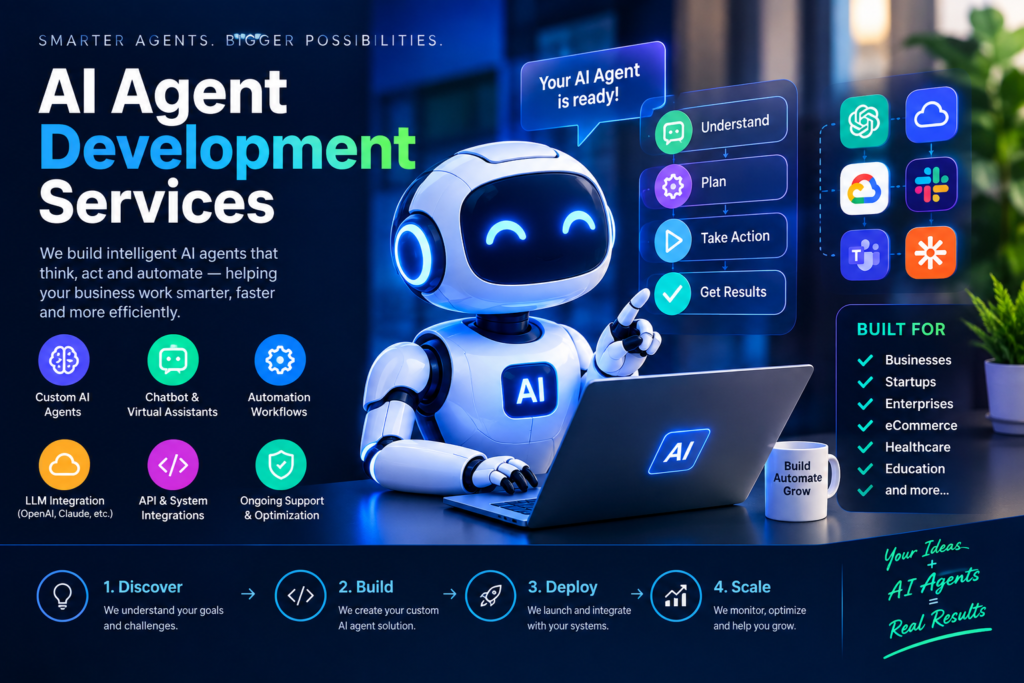
Week 1: Map the process. You’ll discover that a third of them are messy: three questions in one email, angry tone, missing order numbers. This shapes everything.
Week 2: Build the narrow version. The agent handles only two categories, order status and return policy questions. Everything else gets forwarded to a human with a short summary.
Week 3: Test with real data, in shadow mode. The agent drafts replies, but nothing gets sent. Your team compares drafts to what they actually wrote. This is where you catch the “invented refund policy” problem before customers do.
Week 4: Limited launch with approval. Humans click “approve” on each draft. Over time, if accuracy is high on certain categories, you can allow some to go out automatically.
That approval step feels slow, but it’s your safety net. Skipping it is the most common way agent projects blow up.
Mistakes I see people make again and again
1. Automating a broken process.
If your team already handles refunds inconsistently, an agent will handle them inconsistently, just faster. Fix the process first.
2. Giving the agent too much power too early.
An agent that can read your inbox is low risk. One that can issue refunds, delete records, or email customers unsupervised needs serious guardrails. Start with read-only access, then add permissions slowly.
3. Trusting the demo.
A demo shows the happy path. Ask to test it with your ugliest real examples.
4. Ignoring costs after launch.
Every agent step, like reading, thinking, or calling a tool, uses tokens, and tokens cost money. A workflow that loops or retries can quietly run up a bill. Ask the vendor to set usage limits and alerts.
5. Expecting it to be “done.”
Your products change, policies change, and models get updated. Agents need maintenance. Budget for a monthly check-in, not just a one-time build.
6. No plan for “I don’t know.”
They’re the ones that know when to stop and hand off. Confident wrong answers are worse than no answer.
Should you build in-house instead?
Sometimes yes. If you have a developer who’s comfortable with APIs, you can build a simple agent yourself using n8n or the OpenAI or Claude APIs. It’s a great way to learn what’s possible.
A service makes more sense when the agent touches sensitive systems, needs serious reliability, or your team simply doesn’t have time. A hybrid approach also works well: let a service build the first version and document it, then bring maintenance in-house.
Who this works well for (and who should wait)
Good fit:
- Teams with repetitive, text-heavy tasks like support triage, lead qualification, invoice processing, or research summaries.
- Businesses with decent documentation the agent can learn from.
- Anyone willing to run a small pilot first.
Maybe wait:
- If your processes aren’t written down anywhere.
- If a single wrong output could cause serious harm, such as legal, medical, or financial decisions, and you have no review step.
- If you want a magic button with zero ongoing effort.
Final thoughts
The best AI agent projects I’ve seen were boring in the best way. One narrow task, a human in the loop, clear numbers on what “good” means, and a slow expansion once things proved reliable.
The disasters tend to start with a big vision and a small testing budget.
So if you’re shopping around, pick one workflow, ask awkward questions, insist on a pilot, and keep a person in the loop until the agent has earned your trust. That approach is a little less exciting than “AI will run your business,” but it’s the one that actually works.








Leave a Reply