


Can You Use Agentic AI On Onlyfans To Chat
Picture a creator who opens the app after a long day and finds 60 unread messages. Some are quick hellos and some are long check-ins from regulars. A couple are from fans who clearly expect a reply within the hour.
Answering all of them properly would take three hours. So the thought creeps in: “Can’t I just let an AI handle this?”
Creators ask this constantly, and the tools are more capable than ever. I spent a while reading through the platform rules, vendor documentation, and news coverage to sort out what’s allowed and what isn’t. The answer is less clear-cut than most blog posts make it sound.
The short answer
Technically you can plug an AI agent into your chats. Whether you should depends on one thing: who presses send.
OnlyFans’ terms say, in plain language, that “You cannot use an AI chatbot to write chats or direct messages.” Yet several sources describe the practical reality as a split: AI that assists a human chatter is tolerated, while AI that replaces one is not.
So a fully autonomous agent that replies to fans on its own is on the risky side. An AI that drafts replies, which a real person reads and sends, is treated very differently.
What “agentic AI” actually means here
The term gets thrown around loosely, so here’s a simple version.
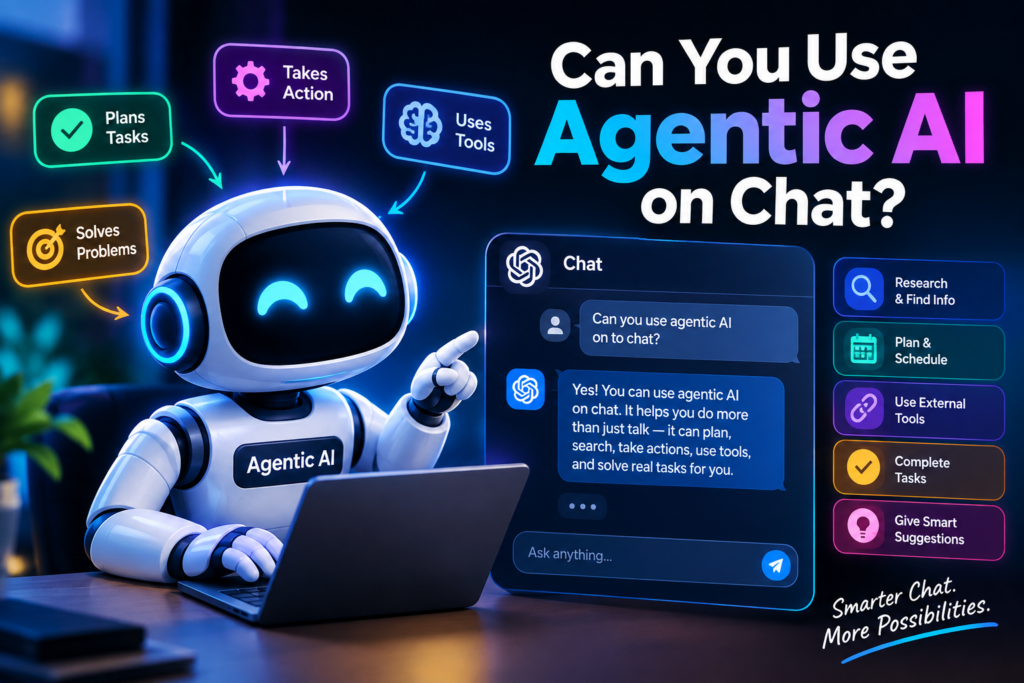
A regular chatbot waits for you to type something and gives you a reply. An AI agent is set up to act on its own: read incoming messages, decide what to say, remember the fan’s history, and send the reply without asking you.
For OnlyFans chatting, that could mean:
- Welcoming new subscribers automatically
- Holding small talk with fans for hours
- Deciding when to suggest paid content
- Following up with fans who’ve gone quiet
One review of a tool in this space describes it as an autonomous bot that handles all DMs, keeps conversations going, and promotes paid content from the creator’s vault. That’s the “agentic” version, and it’s exactly the version that runs into the platform’s rules.
What the platform’s rules say
I’d read the current terms yourself before doing anything, because they change. But here’s what I found:
- The terms prohibit AI chatbots from writing chats or DMs.
- Some compliance guides also point to wording that prohibits bots, crawlers, scrapers, or other automated means of interacting with the platform.
- AI-generated or manipulated content is supposed to be labeled. A visible tag like Every account needs a real, verified person behind it.
There’s also a gap between the rules and what happens in practice. Reuters reported in 2024 that agencies were openly using chatbots such as FlirtFlow, while subscribers were never told and were left to assume they were chatting live with the creator. OnlyFans declined to answer Reuters’ questions about it.
Rules that go unenforced for a while can start being enforced overnight, and it’s your account and income on the line.
The gray area: copilot vs. autopilot
This is the part most people miss.
Copilot mode: the AI reads the conversation, suggests a reply, and a human approves and sends it. A tool vendor’s guide describes this as the model where every message sent is explicitly human-authorized.
Autopilot mode: the AI replies on its own with no per-message approval. The same guide notes that in this setup, individual messages go out without per-message human review, and that’s where the risk climbs.
One thing to keep in mind: several of the sources I found are written by companies that sell these tools, so they have a reason to say their products are compliant. Treat those claims as opinions, not guarantees. Only OnlyFans can tell you what it will enforce.
Where AI helps without crossing lines
If you want the time savings without gambling your account, these uses are the ones generally treated as acceptable:
- Drafting replies that you review, edit, and send yourself
- Summarizing fan history so you remember who’s who
- Translation, so you can talk to fans in other languages. Tools like OnlyMonster build real-time chat translation into their software.
- Fan notes, such as favorite topics, birthdays, and things they’ve told you
- Reminders about who’s gone quiet
This works well because your real voice and real judgment stay in the loop, and the AI does the boring memory work.
A safer setup, step by step
If I were setting this up from scratch, here’s the order I’d follow.
Step 1: Read the current terms. Search for OnlyFans’ Terms of Service and Acceptable Use Policy and read the sections on messaging, automation, and AI content. Screenshot the wording with today’s date.
Step 2: Decide what you actually want to save time on. Be specific. Is it writing replies, remembering fans, or translating? Different tools solve different problems, and you may not need automation at all.
Step 3: Pick a copilot-style tool. Look at CRM-style tools built for creators and agencies, such as Substy or OnlyMonster. Check that each one has a human-approval step, and read what it says about how it accesses your account.
Step 4: Keep the send button human. Set the tool to suggest, not send. This is the single most important setting.
Step 5: Train it on your own voice. Feed it examples of how you actually write, then edit every draft until it sounds like you.
Step 6: Be careful with fan data. Fans share personal details in chats. Don’t store or reuse anything sensitive, and check where your tool keeps its data.
Step 7: Add a simple disclosure. A short line in your profile or a pinned post saying you use tools to help manage messages costs nothing. It protects you if a fan or a support agent ever asks.
Step 8: Review weekly. Read a sample of what went out. Look for repeated phrases, wrong details, and anything that doesn’t sound like you.
Common mistakes to avoid
Letting the bot run unsupervised. This is the big one. A misplaced reply, a wrong name, or a message that ignores something a fan just said can cost you a subscriber. One compliance guide makes the point well: the real risk isn’t just the rules, it’s burning out your VIP fans with poorly configured AI.
Sending near-identical messages to everyone. The same guide flags mass copy-paste messaging as something that gets you reported whether it’s done by hand or by software.
Sharing your login with a tool or person carelessly. Multiple logins from different locations on the same credentials can trigger security flags. Use tools that offer proper access controls rather than passing your password around.
Skipping the labels on AI-made content. If you post AI-generated or heavily altered images or video, they need to be tagged.
Assuming “everyone does it” means it’s safe. Enforcement can change, and the person who loses the account is you.
The trust problem nobody talks about
Set the rules aside for a second. There’s a more human issue.
Fans pay for connection. If someone believes they’re building a real rapport with you and later finds out a bot has been doing the talking, that can feel like a betrayal. The Reuters coverage put it bluntly: the software is openly marketed to agencies but not disclosed to subscribers.
A fan who feels tricked doesn’t just cancel. They tell other people.
If you’re going to use AI, use it in a way you’d be comfortable explaining to a fan face to face.
What if you want to run an AI persona?
The platform requires a verified real person behind every account, and Fanvue is described as the platform that explicitly allows AI creators. If you’re building an AI character rather than helping a real creator, that’s the place to look, and you’d still want to read its rules first.
Quick FAQ
Can I use ChatGPT or Claude to help write my replies?
Using AI to draft text that you then read, edit, and send yourself is the widely accepted approach. Pasting a fan’s private messages into any AI service does raise privacy questions, so think about what you’re sharing.
Will I get banned for using an AI chat tool?
I can’t promise either way. Fully automated replying carries the most risk. Drafting and note-taking tools with a human sending each message carry far less.
Is it okay to use AI for translation?
Translation that helps a human chat across languages falls in the generally accepted category.
Final thoughts
The honest version of this answer is a bit boring: AI is great as an assistant and a bad idea as a replacement. Let it remember, translate, and draft. Keep your hands on the send button and your own voice in the messages.
If you’re tempted by a full autopilot setup, ask yourself two questions. Would you be comfortable if the platform reviewed every message? And would you be comfortable if your fans knew exactly how it worked? If either answer is no, scale it back before you scale it up.








Leave a Reply