


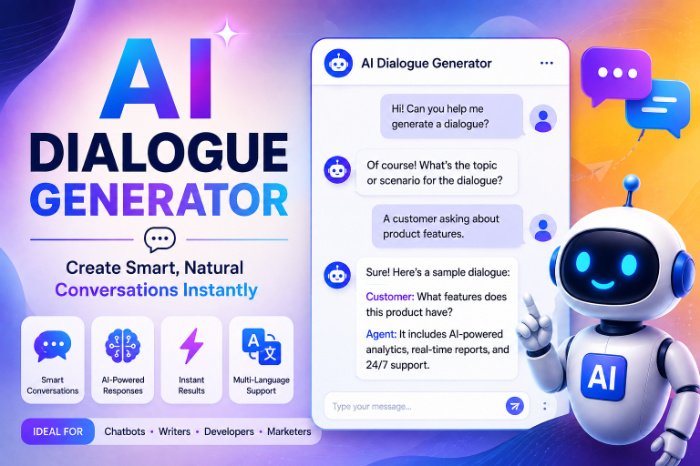
AI Dialogue Generator
I Tried Every AI Dialogue Generator I Could Find So You Don’t Have To (Here’s What Actually Works)
So about eight months ago, I was writing a visual novel-style side project — nothing fancy, just a passion project I’d been chipping away at on weekends. And I hit a wall that every writer eventually hits: I had eleven characters, and every single one of them sounded like me. Same rhythm, same jokes, same sentence length. My grumpy old blacksmith and my sixteen-year-old runaway were basically twins with different job titles.
That’s when a friend mentioned “just throw it into an AI dialogue generator.” I remember laughing a little, because it sounded like one of those things that spits out robotic, cringey lines you’d see in a bad mobile game ad. Turns out I was half right and half wrong, and figuring out which half took me way longer than it should have.
What an AI dialogue generator actually is (in plain English)
Forget the textbook definition for a second. In practice, an AI dialogue generator is just a tool — usually built on top of a language model like GPT-4, Claude, or Gemini — that takes some input from you (a character description, a scene, a mood) and spits out conversation that fits.
Some are standalone apps built specifically for this: Character.AI, Charisma.ai, Inworld, Convai. Others are just… ChatGPT or Claude with a good prompt, which honestly ended up being my favorite method by the end of this whole experiment.
There’s no single “best” one. It really depends on what you’re doing — a customer service bot needs different dialogue than a video game NPC, which needs different dialogue than a chapter in a novel.
My first attempt was a disaster (and here’s why)
I started with a general-purpose chatbot tool and just typed: “Write dialogue for a blacksmith character.” That’s it. That was my whole prompt.
The output was fine. Grammatically correct. Completely lifeless. It read like every generic fantasy blacksmith you’ve ever half-skipped through in a game — “Ah, a customer! What can I forge for ye today?”
The mistake was obvious in hindsight: I gave the AI a job title, not a person. No backstory, no speech quirks, no emotional state, nothing. Garbage in, garbage out — that phrase is annoyingly true here.
What actually changed things for me
The turning point was when I stopped treating the AI like a vending machine and started treating it more like an actor I was directing. Here’s roughly what shifted my results from “meh” to “actually usable”:
I gave it a character sheet, not a label. Instead of “blacksmith,” I wrote something like: “Old blacksmith named Torren. Lost his son in a mining accident years ago. Talks in short, clipped sentences. Doesn’t do small talk. Secretly soft-hearted but hides it behind gruffness. Uses a lot of blacksmithing metaphors without realizing it.”
That one paragraph did more work than fifty follow-up prompts would have.
I gave it a scene, not a vacuum. “Write a conversation” is vague. “Write a conversation where Torren is reluctantly agreeing to fix a stolen sword, and he suspects the customer is lying about how they got it” gives the model something to actually build tension around.
I asked for multiple options. This one surprised me. When I asked for three or four variations of the same line, one of them was almost always noticeably better than the “default” first attempt.
I edited instead of accepting. This is the part people skip, and it shows. AI dialogue is a first draft, not a final one. I’d take the generated line and cut it down, add a pause, swap a word for something more “Torren.” That last 20% of polish is still on you.
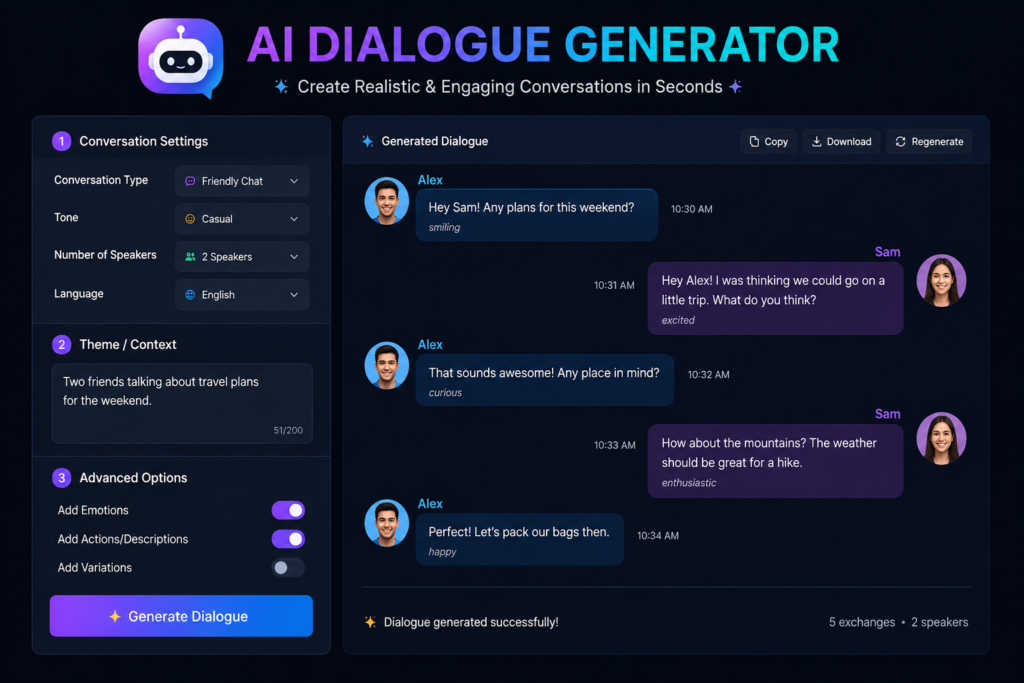
Step-by-step: how I actually generate usable dialogue now
If you want a repeatable process, here’s basically my workflow at this point:
- Write a mini character bio first. Two to four sentences. Personality, speech pattern, one defining trait or wound.
- Set the scene clearly. Where are they, what just happened, what do they want in this moment.
- Ask the AI to generate 2-3 dialogue options, not just one.
- Read them out loud. I know that sounds silly, but dialogue that reads fine on a page often sounds wrong when spoken. This catches a lot of the “robotic” feeling people complain about.
- Trim and adjust. Cut filler words, add interruptions, break up long sentences — real people don’t talk in perfect paragraphs.
- Keep a “voice notes” doc per character so future prompts stay consistent. I genuinely wish I’d started this on day one instead of month three.
Tools I actually tested.
- ChatGPT / Claude with detailed prompts — Still my go-to for narrative writing, novels, and game dialogue. Free-ish, flexible, and you control everything.
- Character.AI — Fun for chatting with a character and seeing how they’d react in real time, good for brainstorming voice and personality, but harder to export clean dialogue for a script.
- Inworld AI — Built more for game developers wanting NPCs that respond dynamically. Overkill if you’re just writing a story, genuinely useful if you’re building an actual interactive game.
- Charisma.ai — Nice for branching conversation trees, a bit more of a learning curve to set up.
None of these are magic. Every single one needed decent input from me to give decent output.
Mistakes I see people make constantly (because I made them too)
Expecting one prompt to nail it. It almost never does. Treat the first output as a rough sketch.
Ignoring pacing. AI-generated dialogue tends to make characters answer every question fully and politely. Real conversations have interruptions, deflections, awkward silences. You often need to manually break that up.
Making every character sound “smart.” AI models default to articulate, well-structured sentences. If your character is supposed to be blunt, uneducated, nervous, or distracted, you have to explicitly ask for that — otherwise everyone sounds like they went to the same debate club.
Copy-pasting without reading it aloud. This alone would’ve saved me hours of later revisions.
Forgetting continuity. If you’re generating dialogue across many sessions, the AI won’t remember your character’s past lines unless you feed that context back in. I lost consistency a few times before I started keeping a running notes file.
Is it actually worth using?
Honestly, yes — but not as a replacement for writing, more as a brainstorming partner that never gets tired. It’s great for breaking through writer’s block, testing how a scene might play out, or generating quick variations when you’re stuck on one line for twenty minutes.
What it’s not great at is nuance without guidance. It won’t magically know your character’s soul unless you tell it. The tool is only as good as the direction you give it, which honestly is true of most creative tools — a nice camera doesn’t make you a photographer.
If you’re a writer, game dev, or even just someone building a chatbot for a small business, it’s worth spending a weekend experimenting the way I did. Just don’t expect the first output to be the final one. Give it context, ask for options, read things out loud, and edit like you mean it. That’s really the whole trick.








Leave a Reply