


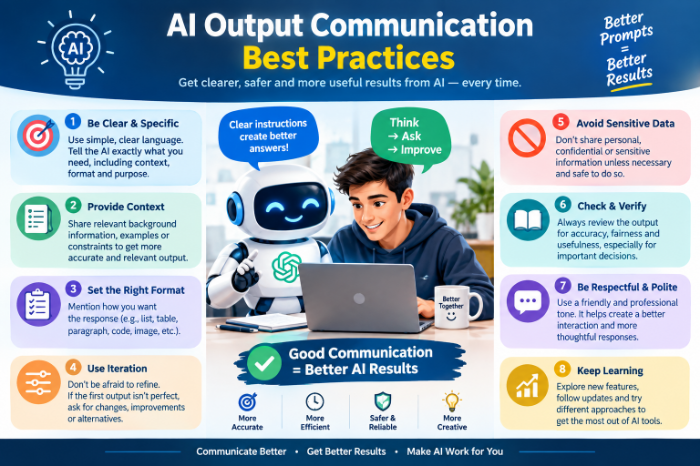
AI Output Communication Best Practices
How to Share AI Output Without Embarrassing Yourself: Lessons From Getting It Wrong
A few months ago I sent a client a project summary I was really proud of. It was clean and well-structured, and it took me about four minutes because I’d let an AI tool draft it.
The client replied within the hour: “Thanks! Quick question, who is Marcus? We don’t have anyone by that name on the project.” The AI had invented a stakeholder. It sounded completely reasonable, so I skimmed right past it and hit send.Nothing terrible happened, but my face went hot. I realized that getting good output from AI is only half the job. The other half is how you communicate that output to other humans, and almost nobody talks about that part.
Here’s what I’ve learned since, mostly by making mistakes.
The real problem isn’t the AI. It’s the handoff.
Most advice about AI focuses on prompts: how to phrase things, what to ask, which tool is best. That matters, but the mistakes that actually hurt me happened after the output appeared.
I sent things I hadn’t fully read, and I presented guesses as facts. Sometimes I said nothing about where content came from, and then the person on the other end got confused or annoyed.
Once I started treating AI output as a draft from a fast but overconfident intern, everything got easier. An intern can be brilliant, but you don’t forward their work to a client without reading it first.
Mistake #1: Trusting the tone
AI writes confidently. Always. It uses the same calm, polished voice whether it’s right or completely making things up.
That’s the trap. Human writing usually gives you clues when someone is unsure (“I think,” “roughly,” “let me double-check”). AI removes those clues.
I once used ChatGPT to pull together a quick comparison of two project management tools for my team. It stated a pricing tier with total certainty. The price had changed months earlier. I only caught it because a teammate happened to have just renewed a subscription.
Now I follow one rule: anything with a number, a date, a name, a quote, or a link gets verified before it leaves my hands. Everything else I read for sense. Those specific things are where AI slips most often.
Mistake #2: Sending it raw
There’s a very recognizable style to unedited AI text. It’s a little too balanced and a little too tidy, and it’s full of phrases nobody actually says out loud.
Your coworkers and clients notice. They may not think “that’s AI,” but they’ll feel that something is off, and they’ll trust the message a little less.
Here’s my quick process for that.
My step-by-step process for communicating AI output
This is the routine I settled on after a lot of trial and error. It takes me five to ten minutes for most things.
Step 1: Read the whole thing out loud (or in your head, slowly).
Skimming is how the fake stakeholder slipped through. Reading at speaking speed forces your brain to actually process each sentence. If something makes you pause, flag it.
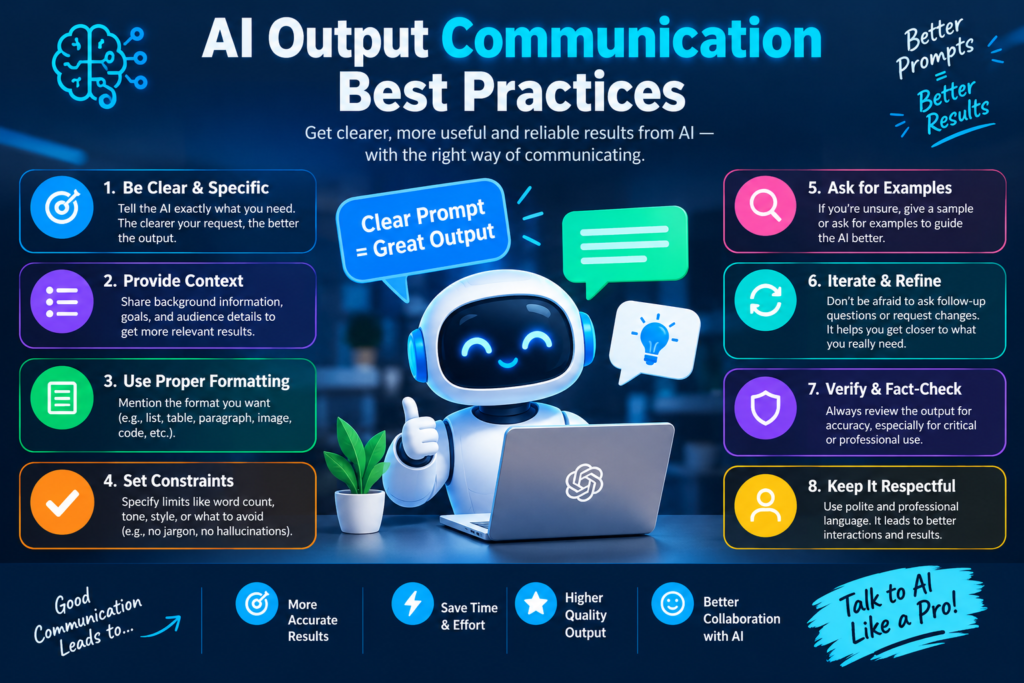
Step 2: Highlight every fact.
I literally highlight names, numbers, dates, and claims in yellow in Google Docs. Then I check each one against a real source, such as the original document, the company’s own website, or a search. Perplexity is handy here because it shows its sources, though I still click through to make sure they say what it claims.
Step 3: Cut the fluff.
AI loves openers like “Certainly!Delete them. Most drafts get noticeably better after losing 20 to 30 percent of their words.
Step 4:
Change the stiff phrases to how you’d talk. If you’d never say “leverage synergies” to a coworker, don’t send it. A trick that works for me is pasting a few of my own old emails into the chat and asking the AI to match that style. It’s not perfect, but it gets closer than the default tone.
Step 5: Decide what to disclose.
This depends on context, and I’ll cover it below.
Step 6: Send it, and own it.
Once it goes out under your name, it’s yours. “The AI said so” is not a defense that has ever worked for anyone.
Should you tell people you used AI?
I go back and forth on this, and honestly the answer depends on the situation.
Say it clearly when:
- The work will be published or graded, or a policy requires disclosure
- Someone might reasonably assume a human wrote every word (for example, a research summary)
- The AI did the heavy lifting rather than a light edit
Usually fine not to mention it when:
- You used it like a spell-checker or brainstorming partner
- You rewrote and verified everything, so the final work is truly yours
Some workplaces and schools have firm rules, so check yours first. When I do disclose, I keep it simple and unapologetic: “I used Claude to draft the first version, then checked the figures against the source report.” That one sentence tells people what they need to know, and it makes them trust the parts I did verify.
Real examples: what worked and what didn’t
The meeting notes disaster. I used an AI transcription tool (Otter, in this case) and sent the auto-generated action items to the team without checking. One item assigned a task to the wrong person, and that person spent two days working on something that was never theirs. Now I always review action items with the meeting still fresh in my memory, and I send them with “Please correct anything I got wrong.”
The blog research win. For an article I was working on, I asked an AI to summarize the general arguments on both sides of a topic. I treated that as a map, not a source. Then I went and read the actual studies. The result was a piece I could stand behind, and the AI saved me an hour of orientation time.
The customer email that almost went sideways. A friend who runs a small online shop told me she used AI to reply to an upset customer. The draft was polite but weirdly cold, all “we apologize for any inconvenience.” She rewrote the first two sentences to sound like an actual person who cared, and the customer ended up leaving a positive review. The AI gave her structure, but the human touch made the difference.
Communicating AI output to people who don’t trust AI
Some people are skeptical, and that’s fair. A few things that have helped me when sharing AI-assisted work with them:
- Show your checking.
- Separate facts from suggestions. I’ll often label things: “Confirmed:” versus “AI-suggested, needs your judgment:”.
- Don’t oversell.
Common mistakes to avoid
Here’s the short list of things that have burned me or people I know:
- Forwarding without reading. Every embarrassing moment I’ve had started here.
- Pasting confidential info into a public tool. Check your company’s policy before putting client data, contracts, or personal details into any AI chat. When in doubt, anonymize it.
- Trusting AI-generated links and citations. Chatbots can produce sources that look real but don’t exist. Always click.
- Using the same tone for everyone. A message to your boss, a client, and a friend should all sound different. AI defaults to one voice unless you steer it.
- Letting it make judgment calls. AI is great at drafting and organizing. Decisions about people, money, or reputation should stay with you.
- Being vague about what’s a guess. If part of the output is an estimate or assumption, say so plainly.
A quick checklist before you hit send
Here’s the mini version I keep pinned next to my monitor:
- Did I read every word?
- Are all names, numbers, dates, and links verified?
- Does it sound like me?
- Would I be comfortable explaining exactly how this was made?
- Is anything confidential in here that shouldn’t be?
If I can answer yes to all five, I send it. If not, I take another two minutes.
Final thoughts
AI has genuinely made my work faster, and I’m not going back. But the speed can be a trap: the faster you produce something, the easier it is to skip the part where you make sure it’s right.
What I’ve come to believe is that the value of a person in an AI-heavy workplace isn’t typing speed anymore. It’s judgment, meaning knowing what’s true, what’s appropriate, and what needs a human voice. The people who communicate AI output well are the ones who treat it as raw material rather than a finished product.
And Marcus, wherever you are, thanks for teaching me to read before I send.







Leave a Reply