



Musichero AI AI Music Generator
I Tried MusicHero AI to Make a Song for My Sister’s Wedding Video — Here’s What Actually Happened
It was 11 PM, the wedding video was due to my sister the next morning, and I had zero royalty-free music that didn’t sound like elevator hold music. Every “free music” site I tried either wanted a login, a credit card, or gave me a track that sounded suspiciously like it belonged in a dentist’s waiting room.
That’s when a friend who edits YouTube videos for a living told me to just type what I wanted into MusicHero AI and let it write the song for me. I laughed. Then I tried it. Then I stayed up two more hours because I couldn’t stop generating songs.
This isn’t a “top 10 AI tools” listicle. This is what happened when I actually sat down and used MusicHero AI for a real project, made some dumb mistakes along the way, and figured out what it’s genuinely good for.
So What Is MusicHero AI, Really?
Strip away the marketing language and it’s pretty simple: you type in a description (or paste your own lyrics), pick a genre or vibe, hit generate, and within a minute or two you get a full song — vocals, melody, instruments, the whole thing.
No downloads. No account needed to just try it out. You open the site, type, and wait.
Under the hood, it’s built on the same kind of AI music tech that powers tools like Suno, so if you’ve messed around with Suno before, the results will feel familiar — sometimes shockingly good, sometimes a little weird in the way AI music can get weird (more on that later). Musichero AI AI Music Generator
My First Attempt (And Why It Flopped)
I typed something like: “happy wedding song, romantic, upbeat.” That’s it. Four words strung together like I was ordering a pizza.
The result was… fine. Generic pop-ish track, decent melody, but it felt like stock music because, well, my prompt was basically nothing. It had no personality, no story, nothing that made it feel like it belonged to my sister’s actual wedding.
Lesson one, learned the hard way: a lazy prompt gets you a lazy song.
What Actually Worked
On my second try, I got specific. Instead of a vague mood, I described the scene: “Acoustic guitar, warm and intimate, a song about two people who’ve been best friends for 15 years finally getting married, gentle female vocals, slow build into a happy chorus.”
Night and day difference. The track that came back actually had a shape to it — a quiet verse, a chorus that lifted, and instrumentation that matched what I’d asked for. It wasn’t going to top the charts, but it fit the video perfectly, and nobody watching it would’ve guessed it was AI-made in under two minutes.
That’s when it clicked for me: MusicHero AI isn’t reading your mind. It’s responding to how much detail you actually give it. Treat it like you’re briefing a session musician, not googling a search term. Musichero AI AI Music Generator
How I Actually Use It Now (Step by Step)
If you want to try this yourself, here’s the process that’s worked for me after a few dozen songs:
1. Decide vocals or instrumental first. This one setting changes everything. If you just need background music for a video, go instrumental — it avoids the occasional awkward AI vocal phrasing entirely.
2. Write a “scene,” not a genre. Instead of “sad song,” try “slow piano ballad, someone driving home alone at night after a breakup, minimal drums, vocals that sound tired but hopeful.” The more sensory detail, the better the output.
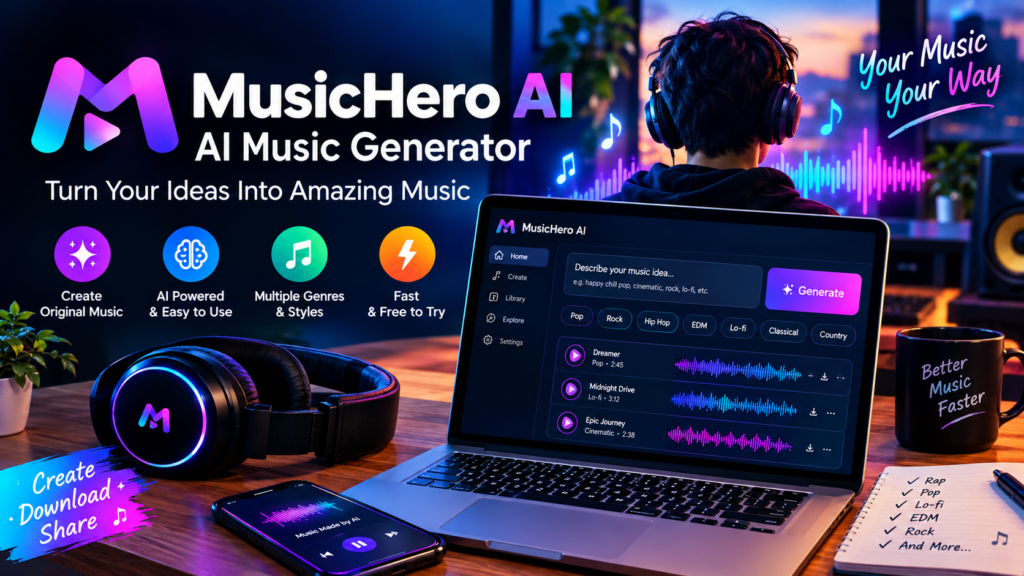
3. Add or edit your own lyrics if you have them. If you already have lyrics — maybe from a poem, a journal entry, or something you wrote years ago — paste them in directly. MusicHero AI will build the melody and instrumentation around your actual words instead of writing generic ones for you.
4. Generate more than once. The platform lets you generate two versions in one go, which is genuinely useful because AI music generators are a bit like a slot machine — you rarely nail it on attempt one. I usually generate 3–4 times before I land on “the one.”
5. Use the vocal remover if you only want the instrumental later. This saved me once when I generated a song with vocals I loved, but for a different part of the video I only wanted the instrumental bed. Instead of starting over, I just stripped the vocals out of the same track.
6. Export and actually listen on real speakers, not laptop speakers. Small thing, but AI-generated music can sometimes have odd frequency spikes that you won’t notice on tinny laptop speakers but will absolutely notice on a proper speaker or headphones.
Real Examples Where This Actually Made Sense
- YouTube intro music: A friend running a small tech-review channel used it to generate a punchy 20-second instrumental intro instead of paying for a license. Took him about 10 minutes total.
- Podcast outro jingle: Typed in “short, cheerful acoustic jingle, 15 seconds, sounds like a sign-off” and got something usable on the second try.
- Study/focus playlist: Lo-fi beats for a personal Spotify-style playlist I keep for work. Genuinely didn’t need vocals here, so instrumental mode was perfect.
- A birthday song with someone’s actual name in it: This one surprised me the most. I pasted in a short custom verse with my nephew’s name and a joke about his obsession with dinosaurs, and it turned it into an actual little song. He played it about 40 times.
Mistakes I’d Tell You to Skip
Being too vague with your prompt. Already covered this, but it’s worth repeating because it’s the single biggest reason people say “AI music sounds fake.” Often it’s not the AI — it’s the prompt.
Expecting broadcast-quality mixing every time. Some tracks come out beautifully balanced. Others have vocals sitting slightly too hot in the mix. It’s not perfect every single time, so budget a few extra minutes for regeneration rather than assuming the first output is final.
Forgetting to check usage rights before using it commercially. If you’re planning to use a track in something you’re selling or monetizing heavily, don’t just assume “free” means “free for everything.” Check the current terms on the platform before you publish, especially for commercial use — this is the kind of detail that changes depending on your plan, so it’s worth a quick look rather than assuming.
Not trying instrumental mode when vocals feel off. A lot of people give up on AI music generators because a vocal take sounded slightly robotic. Switching to instrumental-only or using the vocal remover on a track you otherwise liked fixes this instantly.
Only generating once. I get it, you’re in a rush. But since generating a second version costs you almost nothing in time, there’s no real reason to settle for your first result unless it’s already great. Musichero AI AI Music Generator
Who This Is Actually Good For
Honestly? Content creators need it the most — YouTubers, podcasters, small business owners who need a jingle, teachers building a class project, or anyone making a quick video who doesn’t want to deal with copyright strikes from using someone else’s song.
If you’re a serious musician looking for a finished, release-ready single, treat this more like a sketchpad — a way to test an idea, hear a melody concept, or beat writer’s block, rather than your final master.
Final Thoughts
I didn’t expect a late-night scramble for wedding video music to turn into me genuinely enjoying an AI tool, but here we are. The output isn’t magic — you still have to put in a bit of thought — but for anyone who’s ever needed a decent track fast and didn’t have the time, budget, or skill to make one from scratch, MusicHero AI does the job better than I expected. Musichero AI AI Music Generator
If you’re going to try it, don’t type four words and judge the whole tool off that. Describe a scene. Give it a mood, a story, a reason the song exists. That’s the difference between a song that sounds like filler and one that actually fits what you’re making.
Honestly? Content creators need it the most — YouTubers, podcasters, small business owners who need a jingle, teachers building a class project, or anyone making a quick video who doesn’t want to deal with copyright strikes from using someone else’s song.
If you’re a serious musician looking for a finished, release-ready single, treat this more like a sketchpad — a way to test an idea, hear a melody concept, or beat writer’s block, rather than your final master
I didn’t expect a late-night scramble for wedding video music to turn into me genuinely enjoying an AI tool, but here we are. The output isn’t magic — you still have to put in a bit of thought — but for anyone who’s ever needed a decent track fast and didn’t have the time, budget, or skill to make one from scratch, MusicHero AI does the job better than I expected.







Leave a Reply