


AI Fanfic Generator
I Tried Every AI Fanfic Generator I Could Find So You Don’t Have To Waste a Weekend Like I Did
So here’s what happened. I was three seasons deep into a show, completely obsessed, and the show got cancelled. Cliffhanger and everything. No closure, no season four, nothing.
I did what any unhinged fan does at 1 AM — I opened a blank Google Doc and tried to write my own ending. Twenty minutes later I had two sentences and a headache.
That’s when a friend in a Discord server mentioned she’d been using an AI fanfic generator to bang out story ideas when she hit writer’s block. It sounded like a gimmick. But curiosity won, and I spent the next few weekends testing a bunch of these tools on different fandoms — some I know inside out, some I barely follow.
What I found surprised me. Others are basically autocomplete wearing a costume. Let me walk you through what actually works, what doesn’t, and how to not waste your time like I did in week one.
What an AI Fanfic Generator Actually Does
Before you go searching, it helps to know what you’re actually getting.
These tools use language models (the same family of tech behind ChatGPT) trained to generate creative writing. You give them a prompt — characters, setting, tone, maybe a “what if” scenario — and they spit out a scene, a chapter, or sometimes a full short story.
They’re not writing a novel for you. Think of them more like a very fast, very tireless writing partner who never runs out of ideas, even if half of those ideas need editing.
My First Attempt Was a Mess (Here’s Why)
I went in with zero strategy. Typed something like “write a fanfic where [Character A] and [Character B] meet again after years apart.” Hit generate. Got back three paragraphs that were… fine. Generic. Could’ve been about literally any two characters from any show.
That was mistake number one: vague prompts get vague stories.
The second attempt, I got specific. I mentioned their actual personalities, an inside joke from the show, the exact emotional tone I wanted (bittersweet, not sappy), and where the scene takes place. The output was noticeably better — it actually sounded like the characters instead of two generic people with borrowed names.
Lesson learned fast: the tool is only as good as what you feed it.
Tools I Actually Tested
I’m not going to pretend I tried every single one on the internet, but here’s what I spent real time with.
Character.AI — This one’s less “generate a story” and more “roleplay with the character.” You chat back and forth, and it builds the story in real time based on your responses. It’s genuinely fun if you want an interactive experience rather than a finished piece of writing. Downside: it can go off the rails or forget details from earlier in the conversation.
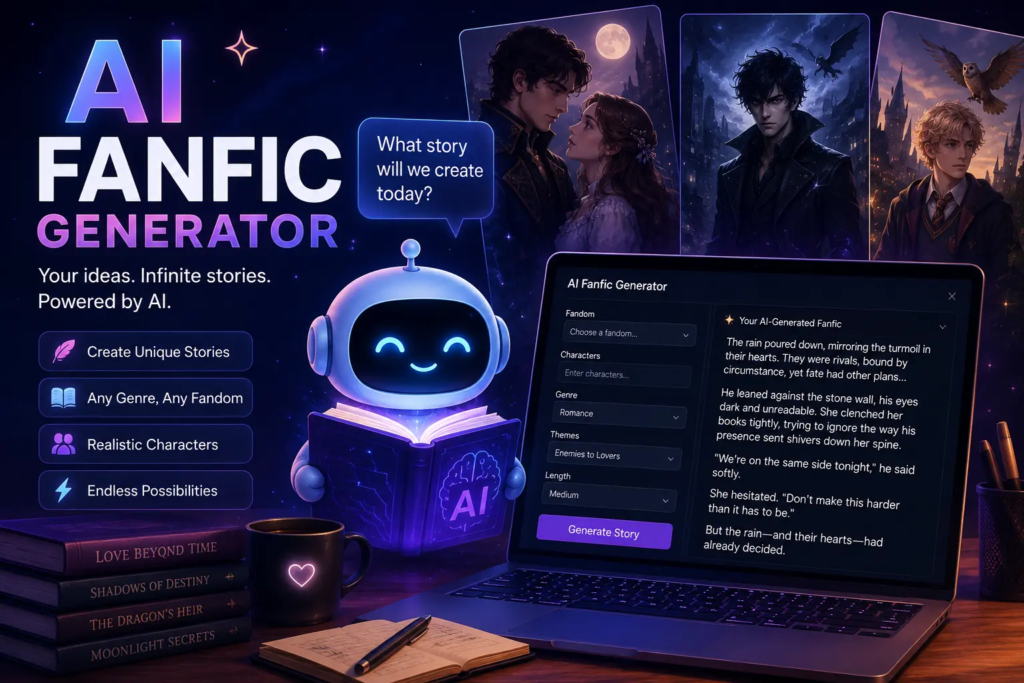
NovelAI — More geared toward long-form fiction. You can set a writing style, feed it context about your world and characters, and it’ll keep generating in that voice. This felt the most “writer-friendly” of the bunch, though there’s a bit of a learning curve to get consistent quality.
Sudowrite — Not fanfic-specific, but a lot of fanfic writers use it as a brainstorming and “unstuck” tool. I used it mainly when I had a scene half-written and didn’t know where to take it next. It’s good at suggesting directions, less good at nailing a specific character’s voice unless you give it excerpts to learn from.
ChatGPT / Claude — Yes, general AI chatbots work fine for this too, especially if you’re willing to do a bit of prompt engineering. I actually got some of my favorite results this way because I could have a back-and-forth conversation, ask it to revise a paragraph, change the tone, or fix pacing — instead of just generating and hoping.
None of these are “the best” universally. It really depends on whether you want interactive roleplay, long-form story generation, or an editing buddy.
Step-by-Step: How I Actually Get Decent Results Now
If you want to try this yourself, here’s the process I settled into after a lot of trial and error.
Step 1: Know your characters before you ask the AI to. Jot down a couple of personality traits, a speech quirk, a relationship dynamic. The more specific you are, the less generic the output.
Step 2: Set the scene clearly. Where is this happening? What just occurred before this moment? AI tools do better with a clear starting point than an open-ended “write something.”
Step 3: Ask for a draft, not a final product. Generate a first pass, then read it like an editor. Nine times out of ten, something’s off — pacing, tone, a line that doesn’t sound like the character.
Step 4: Do a final human pass. Even the best output needs a read-through from you. Fix awkward phrasing, add your own voice back into it, make sure it actually sounds like something you’d want to post.
Mistakes I’d Tell You to Skip
Trusting the first output. The first draft is rarely the good draft. Treat it like a rough sketch.
Over-relying on it for character voice. AI tends to smooth everyone into the same “voice” unless you actively correct it. If your favorite character is sarcastic and blunt, and the output sounds like a Hallmark movie narrator, that’s your cue to push back.
Ignoring canon details. I once generated a whole scene set in a location that doesn’t exist in the actual show, because I didn’t specify the setting clearly enough. Fans will notice. Double-check details before posting anything publicly.
Posting without editing. This one matters if you’re sharing your work anywhere — AO3, Wattpad, Tumblr, wherever. Readers can usually tell when something’s unedited AI output, and it tends to get called out. A little polish goes a long way.
Forgetting about copyright and platform rules. Fanfic has always lived in a bit of a gray area, and using AI doesn’t really change that. Most fan communities are fine with AI-assisted writing as long as you’re transparent and not trying to pass off pure AI text as a “real” fic without disclosure. Some platforms have their own rules about this now, so it’s worth a quick check before you post.
Where This Is Actually Useful
Honestly, the best use case I found wasn’t “write my whole fic for me.” It was breaking through writer’s block. When I’m stuck on how a scene should end, or I can’t figure out how a character would react to something, bouncing the idea off an AI tool and seeing three different directions it could go has genuinely helped me finish things I would’ve abandoned otherwise.
It’s also great for warm-ups. Some days I don’t feel like writing but I want to stay in the headspace of my story. Generating a quick “what if” scene, even one I never publish, keeps the ideas flowing. AI Fanfic Generator
Final Thoughts
I went into this expecting either magic or garbage, and landed somewhere more useful than either — a decent creative tool that works best when you treat it like a collaborator instead of a vending machine.
If you’re a fanfic writer dealing with block, or just someone who wants to see “what if” scenarios play out for a show that ended too soon, it’s worth an afternoon of messing around. Just don’t expect it to replace your own voice. The best fics I ended up with were the ones where I used the AI to get unstuck, then rewrote half of it in my own words anyway.
That mix — AI for momentum, you for the actual soul of the story — is honestly the sweet spot.







Leave a Reply