


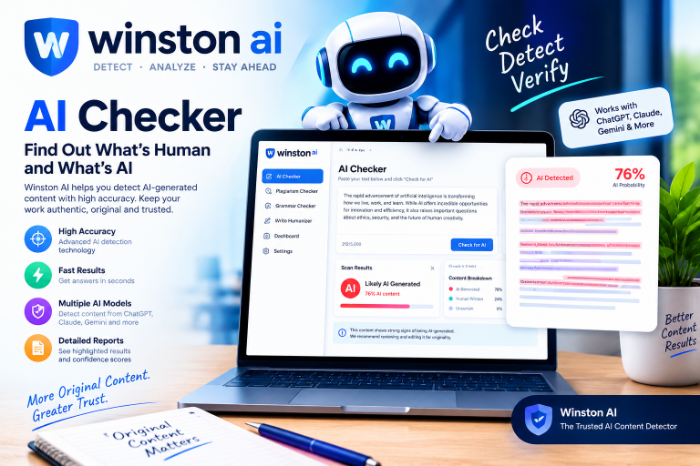
Winston AI AI Checker
Winston AI Checker Review: What It Gets Right, Where It Slips (And How to Use It Properly)
A few weeks ago I pasted a paragraph I had typed myself, word by word, into an AI checker. I wasn’t offended. I was curious. Why did my own writing look like a robot’s?
That little moment sent me down a rabbit hole of testing AI detectors, and Winston AI was the one I kept coming back to. Not because it’s perfect (no detector is), but because it shows you why it thinks what it thinks. Here’s what I learned, including the mistakes I made along the way.
What Winston AI actually is
Winston AI is a web-based tool that scans text and estimates how likely it is to have been written by an AI model like ChatGPT, Claude or Gemini. It also offers a plagiarism check, and an image detector for suspected AI-generated pictures.
The people who use it most are teachers, editors, SEO agencies and freelance writers. If you publish content for a living, or review other people’s writing, it’s built for you.
One important point before we go further: it gives a probability, not a verdict. I’ll keep repeating that because it’s where most people go wrong.
Getting started: the first scan
The sign-up is simple. At the time of writing, Winston offers a free trial of around two weeks with a pool of credits, and no forever-free plan. Paid plans start at roughly $18 a month, with cheaper annual billing. Prices change often, so check the official pricing page before you commit.
Here’s how I run a scan now:
- Create an account and open the AI detection tool from the dashboard.
- Paste your text or upload a file (PDF and Word documents work, and it has OCR for scanned pages).
- Pick your language if the tool asks. It supports a long list of them, but results are generally more reliable in English.
- Run the scan and wait a few seconds.
- Read the result, not just the headline number.
That last step is the one most people skip.
How to read the score without panicking
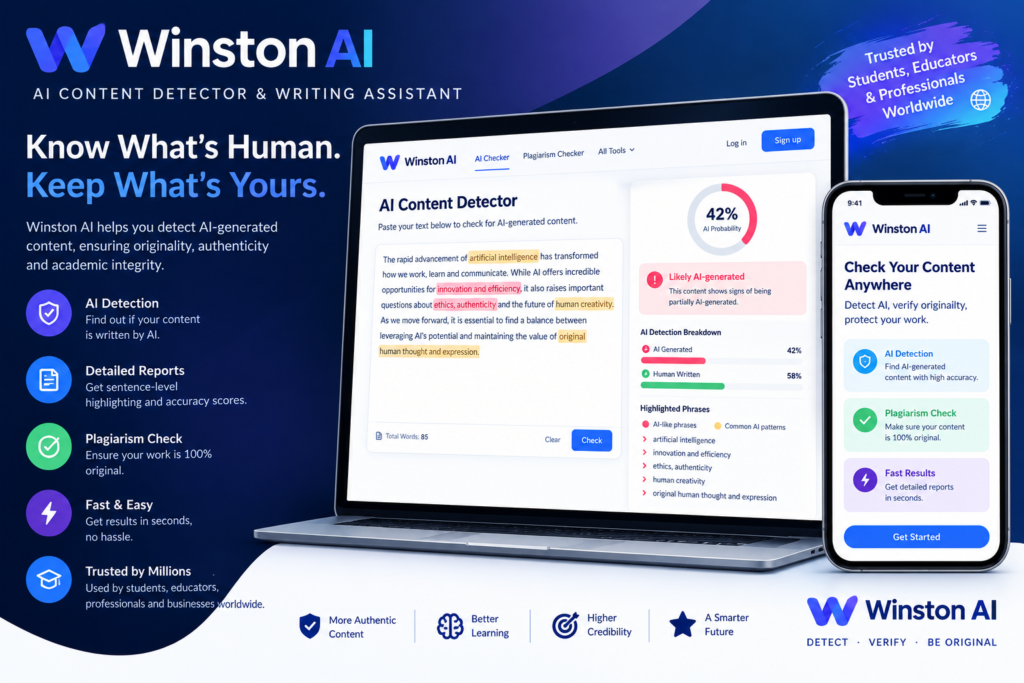
Winston gives you a “human score” as a percentage. A high number means the text looks more human. A low number means it looks more machine-written.
But the part I find genuinely useful is the sentence-level highlighting. Instead of just saying “62% human,” it marks which sentences look suspicious. That turns a vague number into something you can act on.
When I scanned that flagged paragraph of mine, the highlighted sentences were all the same type: short, tidy, evenly paced statements that sounded like a product description. No personality, no tangents. I had written them in a hurry, in “professional mode,” and that’s exactly the style detectors tend to associate with AI.
So the lesson was less about the tool being wrong and more about my writing being flat.
Three situations where it earned its place
1. Checking freelance writers. If you hire writers for a blog, a quick scan before publishing is a sensible habit. Not to accuse anyone, but to start a conversation. If a draft lights up from top to bottom, you ask how it was written. Often the answer is “I used AI to outline and polish,” which is a fair thing to discuss and set rules about.
2. Editing your own drafts. This is my favorite use. If you use AI for brainstorming or a rough first pass, a scan shows you which parts still sound generic. Then you rewrite those parts with real examples, opinions and details only you would know.
3. Reviewing student or team work. Teachers and managers use it as a first signal. The key word is signal. It should prompt a follow-up (ask the person to explain their work, show their drafts) and never be the only evidence.
Mistakes I made (so you can skip them)
Mistake 1: Scanning tiny snippets. I started by pasting a single paragraph. Short samples give shaky results, because the tool has little to work with. Scan the whole article or at least several hundred words.
Mistake 2: Treating the number like a final answer. A “30% human” score felt damning until I remembered it’s a statistical guess. Detectors can produce false positives, especially on very formal, structured or template-like writing. Academic abstracts, legal text and technical documentation are common culprits.
Mistake 3: Trying to “beat” the detector. I spent an afternoon swapping words with synonyms to raise the score. It was a waste of time. The text got worse, and the improvement was random. Writing better, with real stories and a clear point of view, worked far better than gaming it.
Mistake 4: Ignoring other signals. A scan can’t tell you if a claim is true, if a source exists, or if the writer understood the topic. Always combine it with common sense: does it sound like the person? Does it contain specific, checkable details?
Mistake 5: Pasting sensitive material without thinking. Before uploading client documents or unpublished work, read the platform’s privacy policy and make sure you’re comfortable with it.
What I like
- Sentence-level highlights. Much more helpful than a single score.
- Clean, simple interface. No learning curve, which matters when you’re checking ten articles in a row.
- Plagiarism check in the same place. One workflow instead of two tools.
- File and scanned-document support. Handy for teachers dealing with PDFs or printed pages.
- Shareable reports on paid plans, useful when you need to show an editor or client what you found.
What bugs me
- It’s a paid tool. The free trial is time-limited, so casual users may find it pricey compared with free detectors.
- Credits run out. Heavy scanning burns through your allowance, so plan your usage.
- False positives exist. Winston markets very high accuracy, but you should treat any vendor’s accuracy claim with caution. Real-world writing is messy, and independent testing tends to show more mixed results than marketing pages do.
- Mixed human-and-AI text is hard for everyone. Once a draft has been edited back and forth, no detector can cleanly separate the parts.
How to get the most out of it: a simple routine
Here’s the process I’d suggest if you manage content:
- Scan the full draft, not fragments.
- Look at the highlighted sentences and ask what they have in common (usually generic phrasing, no examples, very even rhythm).
- Rewrite those parts with something only a human would add: a real experience, a specific number you verified, a clear opinion.
- Run the plagiarism check as a separate step.
- If a score worries you, talk to the writer before drawing conclusions. Ask for notes, outlines or version history.
- Keep a record of what you checked and when.
Who should (and shouldn’t) pay for it
Worth it if you review lots of content: agency owners, editors, publishers, teachers with large classes.
Probably skip it if you only need an occasional check. Try the trial, then compare a couple of alternatives such as Originality.ai, Copyleaks or GPTZero, and pick the one that suits your volume and budget. They all have different strengths, so test the same text across two or three and see where they agree.
A fair-minded word for anyone being flagged
If you’re a student or writer who got flagged for work you wrote yourself, don’t panic. Keep your drafts, notes and version history, since they’re the strongest proof of authorship. Explain calmly how you wrote it, and point out that detectors are known to make mistakes. Any institution relying solely on a detector score is relying on shaky ground.
Where I landed
Winston AI is a good tool when you treat it like a smoke alarm: it tells you something might be worth checking, not that there’s definitely a fire.
Use it to improve your drafts, to spot generic writing, and to start honest conversations with your team. Don’t use it to punish, and don’t expect it to be flawless.
My own rule now is simple. If a scan flags my writing, I don’t argue with the tool. I ask myself whether the writing sounds like me. Most of the time, adding one real story or a blunt opinion fixes it, and the article gets better for human readers too, which was the point all along.
If you try it, run one of your own old articles through first. It’s an eye-opening way to see how your writing reads to a machine.







Leave a Reply