


Roblox Game Made With AI
My nephew asked me a question I couldn’t answer: “Can you make me a Roblox game where I’m a pizza delivery guy fighting ghosts?”
I’d never built a Roblox game. I had zero Luau experience (that’s Roblox’s scripting language). But I had an AI chatbot and a free Saturday, so I said yes.
Four hours later, there was a map, a pizza-throwing mechanic, and a ghost that walked through walls, which wasn’t supposed to happen. It was messy and a little broken, but it worked well enough that my nephew played it for an hour.
Here’s what I learned, so you can skip the parts that wasted my time.
What “a Roblox game made with AI” really means
It doesn’t mean typing one sentence and getting a finished game. I wish. Here’s how it works in practice.
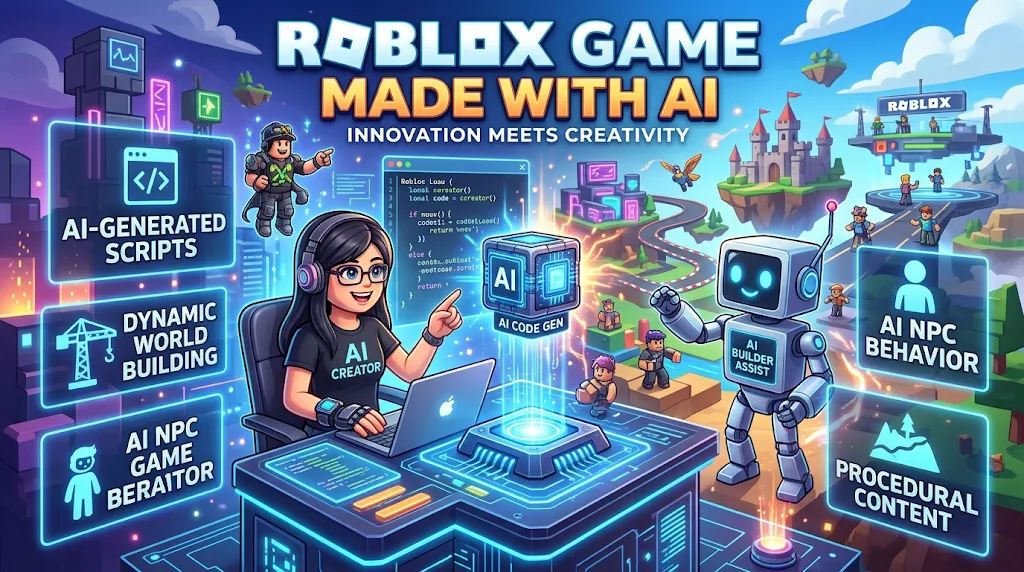
You use Roblox Studio (the free official editor) to build the game. Then you use an AI tool to help with the parts you’d normally need experience for: writing scripts, fixing bugs, brainstorming ideas, and explaining errors.
Roblox has also been adding its own AI features inside Studio, including an assistant and generative tools. These change often, so check Roblox’s official documentation for what’s currently available before you start.
The honest summary: AI is a fast helper, not a replacement for you. You still have to test, decide, and fix things.
The tools I used
Roblox Studio. This is where everything happens.
A general AI chatbot (ChatGPT, Claude, or Gemini). I used these to write and explain Luau scripts. Any of them can do it, and free tiers are enough to start.
Roblox’s built-in assistant. Handy because it sits inside Studio, so you don’t have to copy and paste constantly. It’s worth trying, though I found it worked best for small, specific tasks.
The Roblox Creator Hub and Developer Forum. When the AI gave me broken code, these were where I found real explanations from real developers.
How I built mine, step by step
Step 1: Start with a tiny idea
My first mistake was asking for everything at once: pizza delivery, ghost combat, an upgrade shop, and a leaderboard. The AI produced a giant script that didn’t run.
Start smaller. My second attempt was just: “A player picks up a pizza and throws it.” That worked.
Step 2: Set up Roblox Studio
Download it from the official Roblox site, log in, and choose the Baseplate template. It’s a flat empty world, which is perfect for learning.
Step 3: Write a clear prompt
Vague prompts get vague code. Compare these:
- Weak: “Make a pizza game script.”
- Better: “I’m making a Roblox game in Roblox Studio. Write a Luau script for a Tool called Pizza. When the player clicks, it should throw a part forward and destroy it after 3 seconds. Tell me exactly where to put the script.”
That last sentence matters. Beginners often don’t know whether code belongs in ServerScriptService, StarterPlayerScripts, or inside a tool.
Step 4: Paste, test, repeat
Put the script where the AI told you, then press Play. Open the Output window (View → Output) to see errors.
When something breaks, copy the exact error message back to the AI. Saying “it doesn’t work” gets you nowhere. Pasting “attempt to index nil with ‘Parent'” gets you a fix.
Step 5: Add one feature at a time
Ghost enemy next, then health, then a score counter. After each feature, test before moving on. If something breaks, you know which change caused it.
Step 6: Save versions
Use File → Save to Roblox regularly, and check version history in the Creator Hub. I once lost an hour of work by letting the AI rewrite a working script. Keep a backup before major changes.
What went wrong (and what I learned)
The AI invented things that don’t exist. It confidently used functions that aren’t in Roblox’s API. The script looked fine and then threw errors. Whenever something seemed odd, I checked it against the official Roblox documentation.
It mixed up server and client. Roblox has a strict split between server scripts and local (client) scripts. The AI sometimes put code on the wrong side, which meant my pizza worked on my screen but nothing happened for anyone else. If you’re building multiplayer, learn this basic idea early.
It wrote outdated code. Some of its suggestions used older methods that Roblox has replaced. If a piece of code looks old, ask the AI for the current recommended approach, or search the docs.
I trusted it with security. Early on, I let the client decide how much money a player earned. That’s a classic exploit risk, since players can cheat that way. Important things like currency and inventory should be handled by the server. I only learned this after reading the Developer Forum.
The art looked terrible. Making a game that looks good is harder. I ended up using free models from the Creator Store and adjusting them, rather than expecting AI to produce polished art.
Rules you can’t ignore
This part matters, especially if you want to share or earn from your game.
Follow Roblox’s rules. Read the Roblox Community Standards and Terms of Use. AI-generated content must follow the same rules as everything else.
Check asset licenses. Don’t use copyrighted characters or music just because an AI suggested them or a tool generated something similar. Use assets you have the right to use.
Be careful with kids. Keep your game’s content, chat, and monetization age-appropriate and compliant with platform policies.
Don’t promise riches. You’ll see videos claiming AI can make a hit game overnight. Most games get few players. Treat this as a creative project first.
How to make an AI-assisted game actually good
After a few weeks, here’s what I think makes the difference:
- Play it yourself a lot. AI can write code, but only you can tell if it’s fun.
- Get feedback from real players. Even three friends will find problems you missed.
- Learn a little Luau. You don’t need to master it, but understanding what the code does makes you far less dependent on the AI.
- Keep scope small. A short game that works beats a huge one that crashes.
- Make it yours. Your own theme, jokes, and mechanics matter more than what AI generates.
Is it worth trying?
Yes, with realistic expectations. AI took the “I don’t know where to start” barrier down a lot. I got to a working prototype in an afternoon, which would have taken me weeks of tutorials.
But it didn’t remove the need for patience. About half my time went to debugging, and the most useful learning came from fixing AI mistakes.
My nephew’s review of the pizza ghost game? “Fun, but the ghost cheats.” He’s right. I haven’t fixed it yet.
If you’re curious, open Roblox Studio this weekend, pick one tiny idea, and build just that. Then add the next piece. That’s really all there is to it.








Leave a Reply