


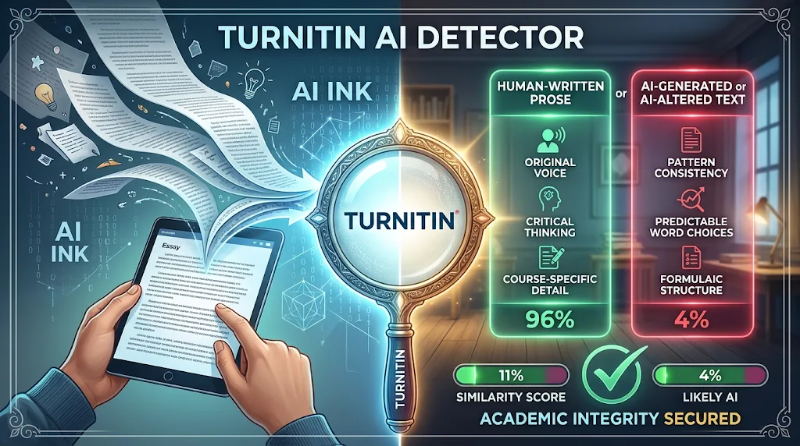
Turnitin AI Detector
A friend of mine, I’ll call her Maria, spent two weekends on a 2,000-word essay. She wrote it from her own notes, at her own kitchen table, with a lot of coffee.
Three days after submitting, she got an email asking her to meet her instructor. The reason was a Turnitin AI detection score she couldn’t explain.
She called me in a panic, and I’d never seen her so rattled. That’s what pushed me to dig into how this tool works. What I found was more nuanced than “the detector is always right” or “the detector is garbage.” Here’s what I learned.
First, what the Turnitin AI detector is (and isn’t)
Turnitin has been around for years as a plagiarism checker. It compares your text against a huge database of web pages, journals, and past submissions.
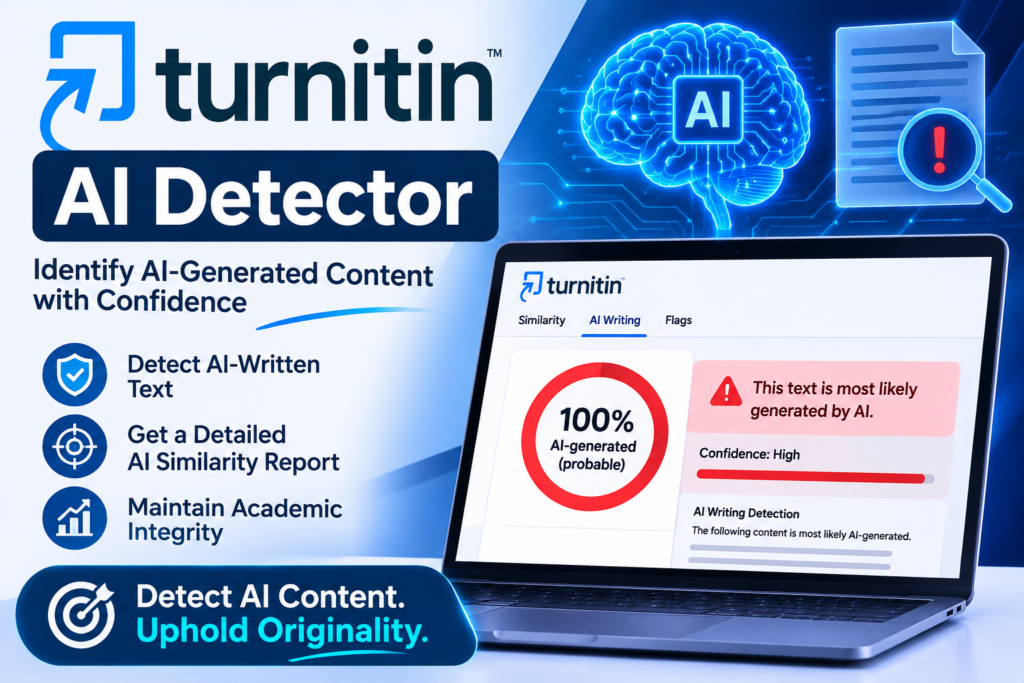
The AI detector is a separate feature. It doesn’t compare your writing to a database. It analyzes how your sentences are built and estimates how likely each section is to have come from a language model like ChatGPT.
That’s an important difference. A similarity score tells you “this matches something that exists.” An AI score only gives a probability estimate. It can’t prove anything.
How to read the score
When AI detection is switched on, the report gives a percentage of your document that Turnitin thinks is AI-written. Some things worth knowing:
- Instructors often see it, and students often don’t. Whether you can see your own report depends on how your institution set things up.
- Low scores are treated cautiously. From what Turnitin has published, very low results (the 1 to 19% range) are shown with a warning because they’re less reliable. Check Turnitin’s current documentation, since they update this.
- It works on long-form prose. It’s built for paragraphs of regular writing, not bullet lists, code, tables, or poetry. There’s also a minimum word count, so short submissions may not be scored at all.
- Turnitin itself says it shouldn’t be the only basis for a decision. Their own guidance tells instructors to treat the score as a starting point for a conversation, not a verdict.
I wish more students knew that last point. It changes how you should react if you get flagged.
Why a human-written essay can still get flagged
This is the part that surprised me most. Detectors look for patterns that are statistically “smooth”: predictable word choices, even sentence lengths, and tidy transitions.
The trouble is that plenty of real people write that way. Here’s who I’ve seen get caught in the net:
1. Non-native English writers. If you learned English through textbooks, you may use simpler, safer phrasing. Researchers have raised concerns that AI detectors in general can be biased against this kind of writing.
2. People who write very formally. Academic writing rewards neutral, structured language. That’s exactly what detectors find suspicious.
3. Heavy Grammarly users. Maria used Grammarly’s rewrite suggestions on nearly every sentence. When I looked at her draft, it was clean but strangely flat. Tools that rephrase your sentences can smooth out your natural voice.
4. Writers who follow templates. The five-paragraph essay structure, “Firstly… Secondly… Finally,” and formulaic intros all read as generic.
I’m not saying Maria’s essay was flagged for one of these reasons. I can’t know that. But it’s worth checking whether your own habits fit any of them.
What I’d do if you get flagged (step by step)
Maria’s situation worked out, and here’s why. She did these things in roughly this order.
Step 1: Stay calm and don’t delete anything.
Deleting files or rewriting your essay in a panic makes things look worse. Keep everything exactly as it is.
Step 2: Gather your version history.
This is your strongest evidence. If you wrote in Google Docs, open File → Version history → See version history. It shows your document growing over hours and days, with timestamps. Microsoft Word with OneDrive has a similar feature. A document that appeared fully formed in one paste looks very different from one built over a week.
Step 3: Collect your process evidence.
Notes, outlines, handwritten drafts, browser history showing your research, saved PDFs of your sources, and earlier drafts all help. Maria had a notebook full of messy bullet points. That notebook did more for her than any argument could.
Step 4: Reread the highlighted sections.
Turnitin highlights the passages it’s most suspicious of. Read them out loud. Ask yourself honestly: did I write this myself? Could I explain every claim in it? You may need to talk through it with your instructor, so be ready to explain your reasoning and sources.
Step 5: Ask for a conversation, not a debate.
Email your instructor politely. Something like: “I’d like to understand the report better and share my drafts and notes.” Being cooperative goes a long way.
Step 6: Know your institution’s process.
Most schools have an academic integrity procedure with an appeal route. Read it before the meeting, not after.
Prevention: habits that protect you
You shouldn’t have to write defensively, but a few habits make life easier, especially since detectors are imperfect.
Write in Google Docs or Word with version history on. I do this for everything now, even blog posts. It takes zero extra effort and creates a paper trail automatically.
Keep your drafts. Save “essay_v1,” “essay_v2,” and so on, rather than overwriting one file.
Don’t paste from AI tools, even “just for the intro.” Even if your school allows some AI use, check the exact policy. Rules differ between courses, and “I only used it for ideas” can still cause problems if it wasn’t permitted.
Use grammar tools lightly. Fixing a typo is fine. Accepting a full rewrite of every sentence strips out your voice. I now use spell-check but write the sentences myself.
Add your own specifics. Personal examples, class discussions, local details, and your own opinions are things generic text doesn’t contain. They also make your essay better, which is the real point.
A mistake I made while testing
When I was researching this, I ran a few of my own old blog posts, written years ago before AI tools existed, through various detectors. I wasn’t using Turnitin itself, since it’s mainly available through institutions. I used free online checkers.
Some results were wildly different from each other. The same article scored low on one tool and surprisingly high on another. That was a good reminder that these numbers aren’t facts. They’re guesses made by different models.
The bigger mistake was mine in thinking I could “fix” a score by tweaking words until it dropped. I wasted an evening on that. The score bounced around without improving the writing. I’d rather you spend that time making your work clearer and more personal.
For teachers and parents reading this
If you’re on the other side, a gentle suggestion: treat the score as a reason to talk, not a reason to accuse. Ask the student to walk you through their argument. Someone who wrote the paper can explain it. Someone who didn’t usually can’t.
Several universities have chosen to turn AI detection off entirely because of concerns about accuracy and fairness. Whether or not you agree, it shows this tool isn’t settled science.
What happened to Maria
She brought her notebook, her Google Docs history, and her outline to the meeting. She walked her instructor through how she built the argument, and the conversation took about fifteen minutes. The matter was dropped.
She still uses Grammarly, but now she skips the “rewrite this sentence” suggestions. She says her writing sounds more like her again, which, funnily enough, was the best side effect of the whole mess.
Final thoughts
The Turnitin AI detector isn’t magic and it isn’t useless. It’s a probability tool that works reasonably well in some cases and misfires in others, and it’s being used by real people who sometimes forget that.
If you write honestly, keep your process visible, and stay calm if something goes wrong, you’re in a much stronger position than you think. And if your institution’s rules or Turnitin’s features have changed since I wrote this, check their official pages. This area is moving fast.







Leave a Reply