


Best ai bass guitar image generator
Best AI Bass Guitar Image Generator: What Actually Worked When I Tried Them All
I play bass in a cover band that plays weddings and the occasional bar gig, and we needed a poster for a show. Nothing fancy, just something with a cool-looking bass guitar on it instead of another stock photo of a random Strat that half the bands in town already use.
I didn’t have a graphic designer. I didn’t have a photo studio. What I had was a laptop, way too much coffee, and about two hours before I needed to send the file to the print shop.
That’s when I fell down the AI image generator rabbit hole. And honestly, it took me longer than I expected to find tools that could draw a bass guitar that actually looked like a bass guitar, not some four-string mutant with the wrong number of tuning pegs or a body shape that belongs on a cartoon spaceship.
If you’re in the same boat — a musician, a shop owner, someone building a YouTube thumbnail, or just someone who wants a wicked bass guitar image without paying a photographer — this is what I learned the hard way.
Why bass guitars are weirder for AI than you’d think
You’d assume a guitar is a guitar to these models. It’s not. Best ai bass guitar image generator
Most AI art models are trained on way more pictures of electric guitars (Stratocasters, Les Pauls) than bass guitars. So when you type “bass guitar,” a lot of tools quietly hand you back a six-string guitar with a slightly longer neck and call it a day.
I noticed this constantly with early attempts. I’d get:
- Basses with 6 strings instead of 4
- Headstocks with way too many tuning pegs, or not enough
- Bodies shaped like a regular guitar, just scaled up
- Pickups placed in impossible spots
None of that is a dealbreaker if you’re just making a fun background image. But if you actually play bass and know what a P-Bass or a Jazz Bass is supposed to look like, it’s the kind of thing that’ll bug you every time you glance at the poster.
So the real “best” tool isn’t just the one with the prettiest output — it’s the one that gets the instrument itself right.
The tools I actually tested
A sunburst electric bass guitar leaning against a brick wall, studio lighting, photorealistic.”
1. Midjourney
This is the one that surprised me the most. The lighting and texture work is genuinely gorgeous — you get that glossy, magazine-cover look almost by default. Where it stumbled was string count. I had to specifically add “four-string bass, no six-string guitar” to the prompt more than once to stop it from giving me a regular guitar.
Once I got the wording right, though, the results were the most usable straight out of the box. If you care about a poster or thumbnail that looks premium, this is worth the subscription.
2. Adobe Firefly
Firefly felt the most “safe” — meaning it rarely gave me anything broken or weird-looking, but it also rarely wowed me. The bass shapes were accurate more often than not, and because it’s built into Photoshop, I could generate the image and clean it up in the same window without exporting and re-importing files. That workflow alone saved me real time.
If you already pay for Creative Cloud, this is probably your easiest starting point. Best ai bass guitar image generator
3. Leonardo AI
I liked Leonardo for iterating fast. It has presets and models tuned for different styles (realistic, illustrative, anime-ish), and I could burn through a dozen variations in the time it took Midjourney to render three. The bass guitar accuracy was hit or miss depending on which underlying model I picked, so I had to experiment with a couple of their “Photoreal” and “Vision” presets before landing on something usable.
4. Ideogram
I only tried this because someone in a gear forum mentioned it handles text well, which mattered to me since I wanted “Live Music Friday” written across the bottom of the poster. Most AI tools mangle text badly. Ideogram actually kept the wording legible, which was a nice surprise. The bass itself was decent, not amazing, but for a poster where the text matters as much as the image, this filled a gap the others couldn’t.
5. DALL-E (through ChatGPT)
This one is the most beginner-friendly by far. You just talk to it like a person: “make the strings a bit thicker,” “change the pickguard to black,” and it adjusts. I didn’t need to learn prompt syntax or weird keyword tricks. The quality wasn’t as cinematic as Midjourney, but for someone who just wants a quick, good-enough bass guitar image without a learning curve, this is genuinely the easiest option.
My actual step-by-step process now
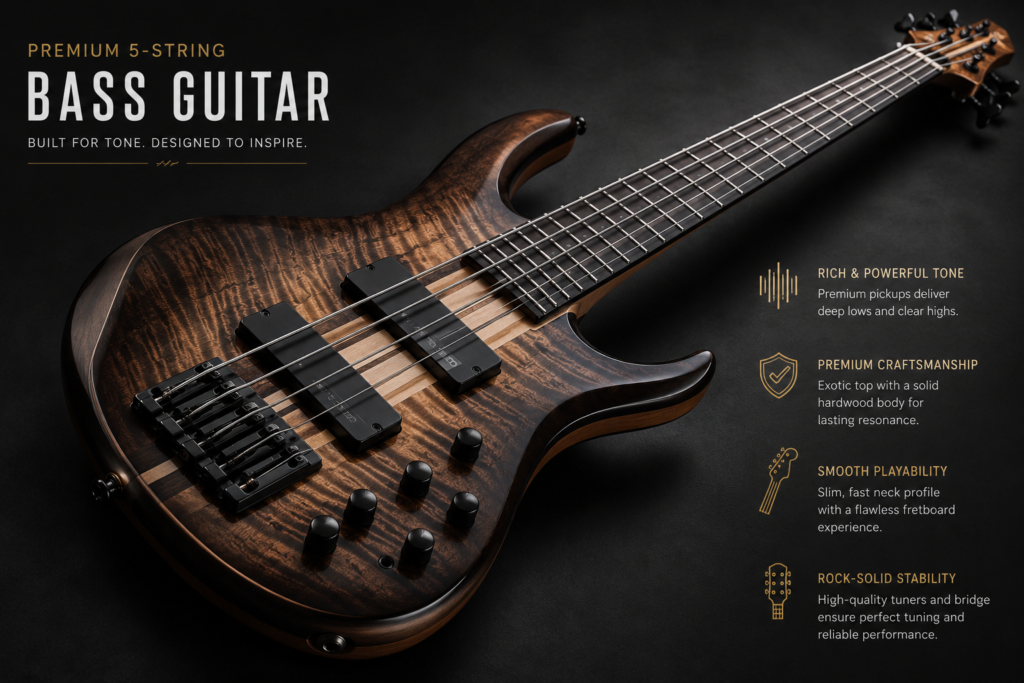
After all that trial and error, here’s the workflow I stick with:
Step 1: Start specific, not vague. Don’t just type “bass guitar.” Say the type — “Fender Precision Bass style,” “Jazz Bass style,” “headless bass,” whatever fits. Naming a real style nudges the model toward the correct body shape.
Step 2: Lock in the string count. Add “four strings” or “four-string bass guitar” directly in the prompt. It sounds redundant, but it noticeably cuts down on six-string mistakes.
Step 3: Describe the scene, not just the object. “Leaning against an amp in a dim garage,” “held by a musician on a dark stage with blue lighting,” whatever matches your actual use case. Vague backgrounds tend to produce vague, forgettable images.
Step 4: Generate in batches of four. Almost every tool gives you a grid of options.I’ve had a single prompt give me one perfect result and three broken ones, side by side.
Step 5: Zoom into the headstock and bridge. This is where mistakes hide. The body usually looks fine at a glance. The headstock (tuning pegs) and the bridge (where the strings anchor) are where AI tends to get confused. Always check those two spots before you commit to using the image anywhere public.
Step 6: Touch up in a free editor if needed. Sometimes you’ll get 90% of a great image with one small flaw. I use something simple like Photopea (a free, browser-based Photoshop alternative) to patch small details instead of regenerating from scratch and losing a composition I liked.
Mistakes I made so you don’t have to
I over-trusted the first image every time. Early on, I’d get one decent-looking bass and just run with it without zooming in. Twice I printed something before noticing the tuning pegs were mismatched — four on one side, two on the other. Not a great look on a poster that’s now laminated and taped to a bar window.
I also wasted time typing overly long, flowery prompts. Ten adjectives about “epic lighting” and “cinematic vibes” didn’t help nearly as much as just being accurate about the instrument itself. Specificity about the bass beat poetic language every time.
And I underestimated how much the background eats into your subject. A busy background can make even a well-generated bass guitar look cluttered or hard to notice. Simpler backgrounds, even just a plain wall or gradient, let the instrument actually be the star.
Real examples of when each tool made sense
- Band poster with bold graphics and premium feel → Midjourney
- Quick social media post, no design skills needed → DALL-E through ChatGPT
- Editing inside an existing Photoshop project → Adobe Firefly
- Testing tons of style variations fast → Leonardo AI
- Poster or flyer where the text needs to be readable → Ideogram
Final thoughts
None of these tools nailed a perfect bass guitar on the very first try, every single time. That’s just the reality right now. The “best” one really depends on what you’re making it for and how much fiddling you’re willing to do. Best ai bass guitar image generator
If I had to pick just one for a musician or small venue owner who wants something usable fast without learning prompt engineering, I’d point you toward DALL-E through ChatGPT first, then graduate to Midjourney once you want that extra polish for something you’re actually printing or selling.
Either way, do yourself a favor and zoom into that headstock before you send anything to a printer. Learned that one the expensive way.








Leave a Reply