


Best Gpu Clusters For AI Training 2026
Six months ago I nearly burned through a $40,000 training budget in eleven days because I picked the wrong GPU provider. Not because the GPUs were bad — they weren’t — but because I didn’t understand how badly interconnect bandwidth matters once you go past a single node. I was running a 13B parameter fine-tune across 16 GPUs, and my “cheap” cluster kept bottlenecking on all-reduce operations. My training runs that should’ve taken 30 hours were taking 58.
That mistake taught me more about GPU clusters than any spec sheet ever could. So this isn’t going to be a copy-paste list of “top 10 GPU providers.” It’s what I’ve actually learned from renting clusters, breaking budgets, and eventually figuring out what matters and what’s just marketing. Best Gpu Clusters For AI Training 2026
Why “best GPU” is the wrong question
Everyone starts by asking “should I get H100s or B200s?” That’s honestly the least important decision you’ll make. The GPU chip itself is almost never the bottleneck for a serious training run — the network between the chips is.
Here’s the thing nobody tells you upfront: if you’re training a model that needs more than one GPU (and almost anything worth training these days does), the speed at which your GPUs talk to each other matters more than raw FLOPS. I learned this the hard way with that 16-GPU run. The provider I used had GPUs sitting in different racks without proper InfiniBand between nodes, just standard networking. My effective throughput dropped by almost half compared to a properly interconnected cluster I rented afterward for a nearly identical job.
So before you compare prices, figure out: does this cluster give you real InfiniBand or NVLink between nodes, or just fast individual GPUs sitting behind a regular network switch?
The GPUs you’ll actually be choosing between
As of right now, in mid-to-late 2026, here’s the honest breakdown of what’s available and what it’s actually good for:
H100 SXM — still the workhorse. It’s been out for a few years now, it’s well understood, every framework is optimized for it, and it’s the cheapest of the “serious” training chips. If you’re fine-tuning models under 30B parameters or doing research-scale pretraining, this is still a completely reasonable choice.
H200 — same core architecture as the H100 but with almost double the memory (141GB vs 80GB) and more bandwidth. I switched a lot of my fine-tuning jobs to H200 purely because it let me use bigger batch sizes without gradient checkpointing tricks, which sped things up more than the raw compute difference would suggest. Best Gpu Clusters For AI Training 2026
B200 (Blackwell) — this is the current top-tier chip for serious pretraining. It roughly doubles the intra-node NVLink bandwidth compared to H100, which matters enormously once you’re running large collective operations across many GPUs. If you’re doing anything at the 70B+ parameter range from scratch, this is where the real gains show up — not just in raw speed but in how much smoother distributed training goes.
GB200 NVL72 — this is the rack-scale system, not just a chip. It links 72 GPUs together with NVLink into what behaves almost like one giant GPU. Very few teams actually need this unless you’re doing frontier-scale pretraining. I haven’t used it myself, honestly, because it’s overkill and expensive for anything I do, but it’s worth knowing it exists if you’re planning something huge. Best Gpu Clusters For AI Training 2026
The providers I’ve actually rented from
RunPod — this is where I do most of my smaller experiments and prototyping. Per-second billing, GPUs from consumer-grade RTX 4090s up through H100 and B200, and pods that spin up in under a minute. It’s not enterprise-polished, but for solo developers or small teams it’s the least friction I’ve dealt with. Good for iterating fast before you commit to a bigger run.
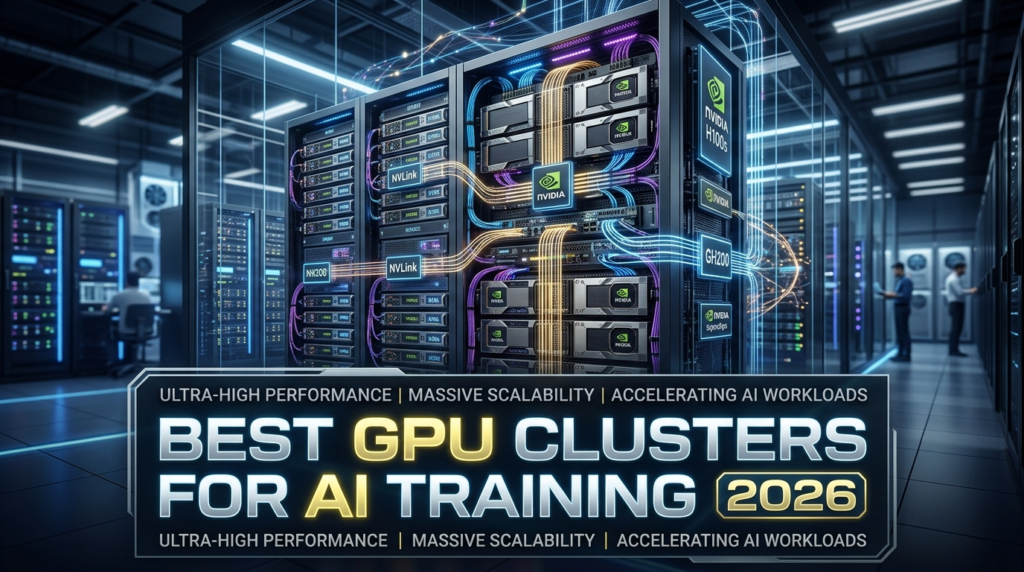
CoreWeave — this is who I’d go to for a real multi-node pretraining job. They offer HGX B200 with proper NVLink at 1,800 GB/s intra-node (double what H100 SXM gives you), InfiniBand between nodes, and Kubernetes-native orchestration. It’s built for teams who already know how to operate Kubernetes clusters. If you’re doing a committed, dedicated-capacity deployment, this is the “clear choice” for a reason — but it’s genuinely a poor fit if you just want to spin up a handful of GPUs for an afternoon.
Lambda Labs — solid middle ground. Good documentation, reasonably transparent pricing, and decent availability on H100/H200 clusters with proper InfiniBand. I’ve used their reserved clusters for week-long training jobs and didn’t run into surprises, which honestly is the highest compliment I can give a GPU provider.
Hyperstack — worth mentioning specifically for teams in Europe who care about GDPR data residency. Their pricing has been competitive too — I’ve seen H100 SXM around $2.40/hr on-demand and H200 SXM around $3.50/hr, with spot pricing on H100 PCIe dropping below $1.55/hr.
AWS, GCP, Azure — the hyperscalers. I use these mainly when a client specifically requires it for compliance reasons, or when I need tight integration with other cloud infrastructure I’m already running. Azure’s Quantum-2 InfiniBand setup (400 Gb/s per GPU) is genuinely strong for regulated environments. But you’ll pay a premium versus specialized GPU clouds, and reserved capacity blocks on AWS for B200 instances have gotten noticeably more expensive this year.
Vast.ai / TensorDock — the marketplace model, where pricing is driven by bidding rather than fixed rates. I use these for throwaway experiments where I don’t care if an instance gets reclaimed mid-run. Genuinely the cheapest option per GPU-hour, but you get what you pay for in terms of reliability and interconnect quality — don’t run anything mission-critical on spot marketplace instances without solid checkpointing.
What GPU cluster pricing actually looks like right now
Pricing swings a lot depending on tenancy model and provider, so take these as ballparks rather than gospel — they change week to week:
- H100: on-demand rates commonly run from around $2/hr up to $3+/hr per GPU depending on provider and configuration.
- H200: median on-demand pricing has been sitting around $4.50/GPU/hour across dozens of providers, though cheaper verified options exist in the $3/hr range.
- B200: this one has the widest spread I’ve seen — anywhere from roughly $3.75/hr on the low end up past $16/hr on-demand depending on tenancy and provider, with an average closer to $7.60/hr.
The gap between cheapest and most expensive for the exact same chip is wild. That spread usually comes down to dedicated vs. shared tenancy, SLA guarantees, and whether you’re paying a “brand name” premium.
Step-by-step: how I actually pick a cluster now
- Figure out your real GPU count first. Don’t guess. Run a small-scale test on 1-2 GPUs, measure memory usage and step time, then extrapolate. I’ve seen people rent 8x H100 clusters for jobs that fit comfortably on 2 GPUs with proper batching.
- Ask specifically about interconnect, not just GPU model. Email support and ask: “Is this InfiniBand or NVSwitch between nodes, and what’s the bandwidth?”
- Start with a short-term rental before committing. Every provider I trust now, I tested first with a 24-48 hour rental before signing anything longer. This is the single best money-saving habit I’ve built.
- Checkpoint aggressively, especially on spot/marketplace instances. I lost about 9 hours of training once because I got greedy with checkpoint intervals to save disk I/O overhead. Now I checkpoint every 15-20 minutes minimum on anything not guaranteed-uptime.
- Match memory to model size before you match price to budget. A cheaper GPU with insufficient VRAM forces you into gradient checkpointing or smaller batches, which can end up costing more in wall-clock time than just paying for the bigger chip upfront.
- Budget for the interconnect premium if you’re going multi-node. A properly networked cluster costs more per GPU-hour, but if it cuts your training time by 40%, it’s cheaper overall. Do the math on total cost, not hourly rate.
Mistakes I see people make constantly
The biggest one is comparing providers purely on the advertised hourly GPU price without checking what tenancy model that price applies to. A lot of “cheap” B200 rates are shared/dynamic instances, not dedicated ones — fine for some workloads, bad if you need guaranteed VRAM access and predictable performance.
The second mistake is over-provisioning “just in case.” I did this constantly early on, renting 8-GPU clusters when 4 would’ve done the job just as fast with proper data parallelism. It felt safer, but it just burned money.
The third is ignoring egress and storage costs until the bill arrives. Moving training data in and out of a cloud, plus persistent storage for checkpoints, adds up fast and rarely gets mentioned in the headline GPU price. Best Gpu Clusters For AI Training 2026
Final thoughts
If I’m being honest, there’s no single “best” cluster — there’s a best cluster for what you’re actually doing. For quick prototyping and small fine-tunes, RunPod or a marketplace option gets the job done cheaply. For serious multi-node pretraining where interconnect quality actually matters, CoreWeave or a similarly network-focused provider is worth the extra cost. And if compliance is non-negotiable, you’re probably ending up on one of the hyperscalers regardless of price.
Whatever you pick, test small before you commit big, and always, always ask about the network before you ask about the GPU. That one lesson cost me eleven wasted days and a chunk of a training budget — hopefully this saves you both.








Leave a Reply