



Whisk AI
Whisk AI Is Gone: What It Did, What Replaced It, and How to Get the Same Results Today
You search “whisk ai,” click the first result, and land on a page that either loads blank or sends you somewhere you didn’t expect.
That’s a confusing way to start, so here’s the short version. Whisk, the quirky Google Labs image tool, doesn’t exist anymore as its own app. But the idea behind it is alive and arguably easier to use now. This guide covers what Whisk was, why people liked it, where it went, and how to recreate the same workflow today.
What Whisk AI actually was
Most AI image tools work the same way: you type a long description and hope the result matches what’s in your head.
Whisk flipped that. It generated new images by combining three reference photos: one for the subject, one for the scene, and one for the style. You didn’t have to describe a “watercolor fox sitting in a snowy forest.” You showed it a fox photo, a snowy forest photo, and a watercolor painting, and it blended them.
For people who aren’t good at writing prompts, that was a big deal. Showing is easier than describing.
It launched on December 16, 2024 as a free experiment from Google Labs, and a Google account was the only requirement. It was never meant to be a professional editor. Google pitched it as a creative inspiration tool.
Why it shut down
Google announced in February 2026 that Whisk, ImageFX, and Flow would be merged under one brand, ending the scattered Labs lineup. Whisk was retired on April 30, 2026, and its remixing idea moved into Flow.
This is common with Labs projects. They’re experiments, and the ones that work get folded into bigger products. The lesson is simple: don’t build your whole workflow or business on a Labs tool without keeping your own backups.
Where the Whisk features live now
The core workflow carried over. Uploading subject, scene, and style references to generate new visuals is now handled in Flow through its Ingredients system.
Flow feels different, though. Whisk was prompt-and-go, while Flow uses a project structure. So there’s a bit more setup, but you also get more control and video tools, which Whisk never really had beyond its short animations.
If you used Whisk before and want your old images, open Flow with the same Google account you used in Whisk and check the Library section. Migration was opt-in, so if you never confirmed the transfer, your old creations may not be there. I wouldn’t count on recovering them now.
How to get Whisk-style results today (step by step)
Here’s the workflow I’d follow. The exact button names may shift, because Google keeps updating Flow, so treat this as a map rather than a script.
Step 1: Sign in with a personal Google account. Go to Flow through Google Labs. Availability varies by country, so if it doesn’t load for you, that’s the first thing to check.
Step 2: Start a new project. Flow organizes work into projects instead of one endless canvas. Name it something you’ll recognize later. Future you will thank you.
Step 3: Pick your three references before you upload anything Decide on:
- Subject: the main thing (a person, product, pet, object)
- Scene: the setting or background
- Style: the look (illustration, film photo, clay render, and so on)
Step 4: Add them as Ingredients. Upload each reference into the Ingredients panel. Keep them clean: one clear subject per image, not a cluttered group shot.
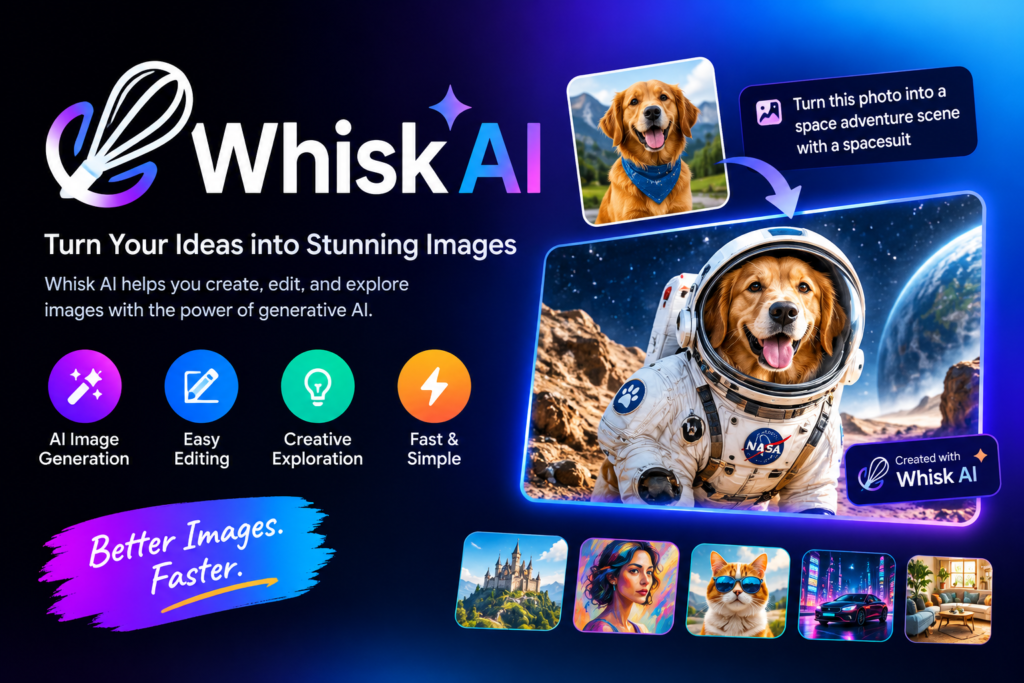
Step 5: Add a short text prompt. The images are doing the heavy lifting.
Step 6: Generate, then change only one thing at a time. If the result is close but off, swap one ingredient and rerun. If you change three things at once, you’ll never know what helped.
Step 7: Download what you like immediately. Remember what happened to Whisk. Save your favorites locally instead of trusting any Labs library to stay around.
Real-world ways people used it
Here are practical scenarios where the three-reference approach shines.
Product mockups for a small shop. Say you sell handmade candles. Upload a clean photo of the candle as the subject, a cozy shelf photo as the scene, and a moody magazine-style photo as the style. You get concept visuals for a social post without a photoshoot. They’re good for ideas, but I wouldn’t use them as your actual product photos, because AI tends to change small details like labels and shapes.
Character consistency for creators. Writers and game hobbyists use one character image as the subject and swap scenes to get the same character in different places. It works best with simple, distinctive designs.
Style testing before you commit. Designers can run the same subject through five different style references in a few minutes. It’s a cheap way to find a direction before spending real time or money.
Classroom and presentation visuals. Teachers can build custom illustrations for a topic instead of hunting for stock images that don’t quite fit.
Mistakes to avoid
These are the problems that come up again and again with this kind of reference-based tool.
Using busy, cluttered references. One review noted that when references are crowded or contradict each other, the tool can lean too hard on one source or average everything into something generic. Simple references give better results.
Expecting exact faces. If you use a photo of a real person, don’t assume the output will look exactly like them. Google added a Precise mode in 2025 specifically because preserving faces, scenes, and styles was the most common complaint. Even then, treat likeness as “close,” not “identical.”
Mixing clashing styles. A cartoon style reference plus a hyper-realistic scene reference often gives a muddy middle.
Over-writing the prompt. A long text prompt can fight your images. Start with almost nothing and add words only if you need them.
Using other people’s photos without thinking. Don’t upload photos of people without their permission, and don’t use copyrighted characters or someone else’s artwork as a style reference for anything you plan to publish or sell. When in doubt, use your own photos.
Skipping backups. Whisk’s shutdown proved it. Download your work.
A quick, honest note on quality
Reference-based generation is fun and fast, but it isn’t magic. Expect to run several generations before one feels right. Expect odd hands, strange text, and details that drift.
Everything made in Flow carries an invisible SynthID watermark, the same system Whisk used. That’s good to know if you’re planning to publish the images, since it marks them as AI-generated. Be upfront with your audience when you use AI visuals. It builds trust.
What if Flow isn’t available or doesn’t suit you?
Some countries don’t have access, and some people just find Flow more complicated than they want. A few things to try:
- Check whether the three-reference workflow works in other tools that accept image inputs. Many modern image generators let you upload references now.
- Try an editing-focused model if you want to change an existing photo instead of making something new.
- Keep your prompts simple and your references clean. That advice works in every tool.
Whichever you pick, test with a free tier first and read the usage terms before using anything commercially.
Final thoughts
Whisk was a small experiment with a smart idea: let people show the AI what they want instead of struggling to describe it. The app is gone, but the idea survived, and learning it now will carry over to whatever tool comes next.
If you’re starting fresh, open Flow, grab three simple reference images, and run one generation. Don’t aim for perfect. Just see what the blend gives you, then tweak one thing and try again.
And save your favorites before you close the tab.







Leave a Reply