


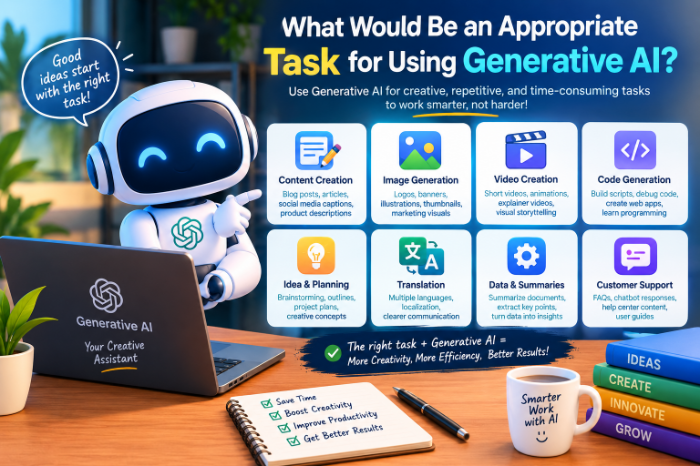
What Would Be An Appropriate Task For Using Generative AI
The day AI made me slower
A few months ago I had a simple job: write product descriptions for 40 items on a small online store I help run. Perfect for AI, I thought. I pasted in the product names, hit enter, and got 40 polished descriptions in about a minute.
Then I read them.
Every one sounded the same. Three claimed features the products didn’t have. One described a steel water bottle as “dishwasher safe” when the box said hand wash only. I spent the next two hours fixing everything, which was longer than writing them myself would have taken.
That day taught me something I now tell everyone who asks: generative AI isn’t good or bad. It’s good at some tasks and terrible at others, and most of the skill is knowing which is which.
So here’s how I decide, and what I’ve learned from getting it wrong.
The test I use before opening any AI tool
I ask myself three questions:
- Can I check the result quickly? If I can read the output and know within a minute whether it’s right, AI is a good fit. If checking would take as long as doing the work, it’s not.
- Is the first draft the hard part? It’s much worse at the final 10% that needs judgment and real knowledge.
- What’s the cost of being wrong? A slightly awkward email is fine. A wrong dosage, a wrong legal claim, or a wrong number in a tax form is not.
If a task passes all three, I use AI. If it fails even one, I slow down or do it by hand. What Would Be An Appropriate Task For Using Generative AI
My water bottle disaster failed question one. I should have checked each claim against the product specs, and I didn’t plan for that.
Tasks where generative AI genuinely helps
These are the things I use it for almost every week, and they’ve held up.
1. Getting unstuck on a first draft
This is the best use, in my experience. When I’m staring at an empty page, I’ll describe what I want to say in rough, messy sentences and ask the AI to turn it into a draft. I never publish that draft, but it gives me something to react to. Editing is easier than starting.
2. Summarizing long things you already have
I paste in meeting notes, a long email thread, or a 30-page PDF and ask for the key points and any action items. Because I have the original, I can spot-check the summary. Tools like Claude and ChatGPT handle this well, and Google’s NotebookLM is nice for working with a stack of documents at once. What Would Be An Appropriate Task For Using Generative AI
3. Explaining things at your level
I recently needed to understand how a mortgage amortization schedule works. Instead of reading five articles, I asked an AI to explain it like I’d never seen a spreadsheet, then asked follow-up questions until it clicked. You can’t be embarrassed in front of a chatbot, which is oddly freeing. (I still checked the actual numbers with my bank.)
4. Brainstorming
Need 20 names for a newsletter, 10 angles for a blog post, or ideas for a birthday party? AI is great here because you don’t need every idea to be good. You need a few sparks. I usually discard 17 and keep 3.
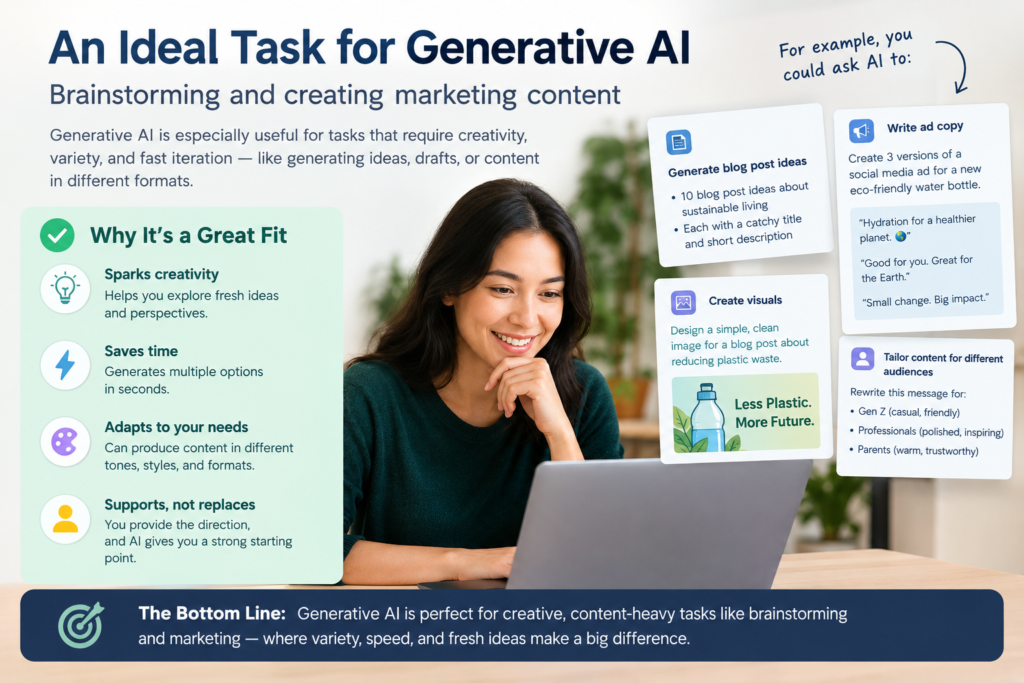
5. Rewriting and tone-fixing
I’m the person who writes an email that sounds angrier than I meant. Now I paste it in and ask, “Make this sound friendly but still firm.” It’s also good for shortening long paragraphs or making text simpler. What Would Be An Appropriate Task For Using Generative AI
6. Small coding and spreadsheet chores
I’m not a developer, but AI has saved me hours on Excel and Google Sheets formulas and little scripts that rename a hundred files. I describe what I want in plain English, get a formula, and test it on a few rows before trusting it.
Tasks where I’ve been burned
Facts, figures, and quotes. AI can state something false with total confidence. I once asked for a statistic for an article and got a very believable number from a study that, when I searched for it, didn’t exist. Now, any specific claim gets verified from a real source.
Anything medical, legal, or financial that I’ll act on.
Writing that needs your real experience. If you’re writing a review, a personal story, or advice based on what you’ve actually done, AI can’t supply that. It can only imitate it, and readers can tell.
Bulk content with no review. This was my product description mistake. Generating 40 things fast just means 40 things to check.
Very recent information. Unless the tool has live web search turned on, it may not know about recent events or changes.
A step-by-step way to use this
Here’s the process I follow now. It works for almost anything.
Step 1: Decide the goal in one sentence..
Step 2: Give context.
Tell the AI who it’s for, what tone you want, and what to avoid. The difference between “write an email” and “write an email to a client who’s been slow to reply, polite but a little firm, under 150 words” is huge.
Step 3: Paste in your own material.
The more of your real notes, details, and facts you give it, the less it has to make up. This single habit cut my errors by more than half.
Step 4:
Ask for changes: “Make it shorter,” “Remove the jargon,” “Give me three different openings.” Two or three rounds usually gets somewhere good.
Step 5: Check before you use it.
Read it out loud. Verify any fact, name, date, or number. Make sure it still sounds like you.
Step 6: A personal detail, a real example, an opinion. This is what turns generic text into something worth reading.
A real example: planning a trip
Last month I used AI to plan a weekend trip, and it shows the good and the bad in one task.
I asked it to build a rough two-day itinerary based on what my family likes (food, not too much walking, one kid who hates museums). It gave me a solid structure in seconds, which would have taken me an hour of browsing.
But when I looked closer, one restaurant it recommended had closed, and the opening hours for another were wrong. So I used the AI for the shape of the trip and checked the details on Google Maps and the venues’ own websites.
That split is the pattern. AI for structure and ideas. You (and real sources) for the details.
Mistakes I see people make
- Using it as a search engine. It’s a text generator, not a fact database. Use search for facts.
- Copy-pasting without reading. This is how embarrassing errors and awkward, robotic phrasing slip through.
- Pasting private information. Don’t put passwords, client data, medical records, or anything confidential into a public AI tool.
- Giving up after one bad answer. Usually the problem is the prompt. Add detail and try again.
- Expecting it to know you. It doesn’t know your audience, your business, or your preferences unless you tell it.
- Publishing AI text as-is. Search engines and readers both reward content that has real experience and perspective in it. Generic AI output is everywhere, and it’s easy to ignore.
Quick cheat sheet
Good fit: first drafts, summaries of your own documents, brainstorming, rewriting, explaining concepts, small formulas and scripts, planning and outlines.What Would Be An Appropriate Task For Using Generative AI
Poor fit: unchecked facts, medical or legal decisions, personal experience content, anything where a mistake is costly and you can’t verify it.
Where I’ve landed
I use generative AI every day now, but I think of it like a fast, eager intern. It’s great at getting things started, it never gets tired, and it will occasionally tell you something wrong with a straight face. You wouldn’t hand an intern your tax return and walk away, and you shouldn’t do that with AI either.
Start small. Pick one low-stakes task this week, like rewriting an email or summarizing a long document, and see how it goes. Once you can feel the difference between a task it handles well and one it fumbles, choosing the right jobs becomes second nature.
And if it hands you 40 perfect-looking product descriptions? Read every single one.








Leave a Reply