



Edge AI News
Edge AI Just Got Real (And My Security Camera Finally Stopped Lagging)
A few months back, I was standing in my garage at 11pm, phone in hand, trying to figure out why my “smart” security camera took four full seconds to tell me a raccoon had knocked over the trash can. Four seconds. By the time the notification buzzed, the raccoon was already gone and my trash was everywhere.
That delay wasn’t a fluke. It was the camera doing exactly what it was built to do: record a clip, ship it to a server somewhere, wait for a cloud AI model to chew on it, then send the verdict back down to my phone. Every single “smart” alert on that thing was making a round trip to a data center before it meant anything.
I ended up swapping that camera out earlier this year, and the replacement processes everything locally, right there in the camera body. No round trip. The alert hits my phone in under half a second. That switch is basically the whole edge AI story in miniature, and it’s why I’ve been paying way closer attention to what’s happening in this space through 2026.
Okay, but what actually is edge AI (in plain terms)
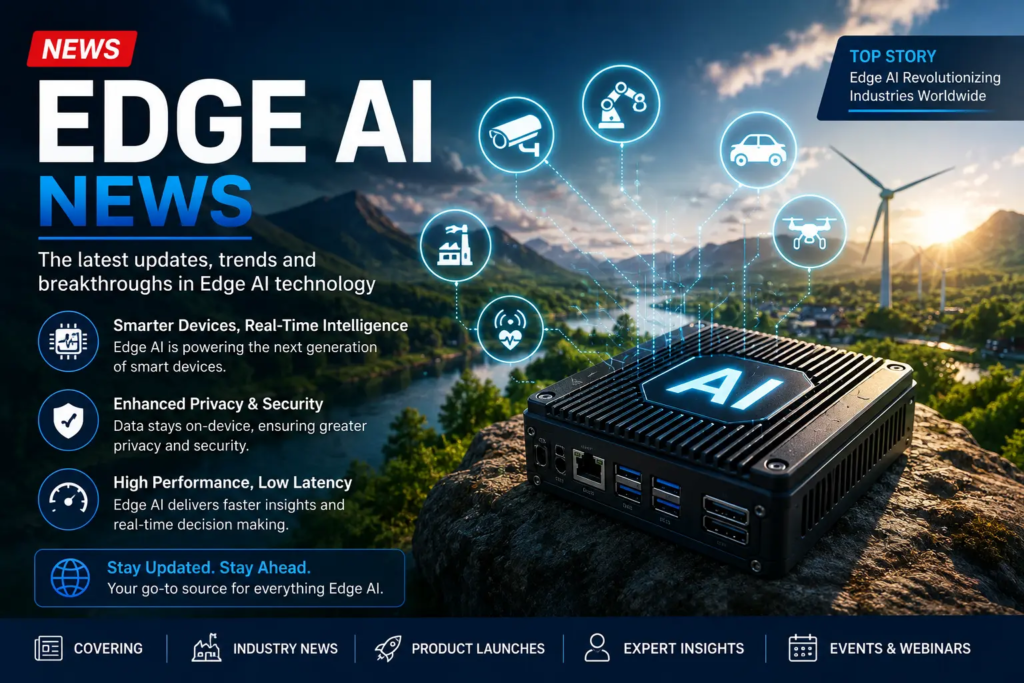
Forget the textbook definition for a second. Edge AI just means the “thinking” part of AI happens on the device itself — your camera, your car, your phone, a sensor on a factory line — instead of on a server somewhere far away.
Cloud AI: your device collects data, sends it off, waits, gets an answer back.
Edge AI: your device collects data and figures out the answer right there, on the spot.
That’s it. No riddle, no jargon needed.
Why this is suddenly a big deal in 2026
I’ve been half-following “edge computing” hype for years, and honestly it always felt like something that was permanently “about to arrive.” That’s changed this year, and it’s not just marketing spin.
A few things lined up at once:
Small models finally got good enough. For a long time, running real AI on a tiny chip meant a dumbed-down, kind of useless version of the “real” model in the cloud. That gap has closed a lot faster than I expected. Compact model families in the sub-billion to few-billion parameter range are now doing genuinely useful reasoning and language tasks directly on phone-class and embedded chips, without needing a server anywhere in the loop.
Cloud bills got painful. I talked to a friend who runs a small chain of retail stores with camera-based inventory tracking. He told me their cloud AI analysis costs were creeping toward hundreds of dollars per camera, per month, once you scaled it across every location. That math stops working fast. Running the analysis on the camera itself instead of shipping video to the cloud nonstop is a massive cost cut, not just a performance one.
Chipmakers leaned all the way in. This year at events like NRF and Embedded World, companies were showing off chips built specifically for on-device AI in cheap, everyday hardware — not just flagship phones. That matters because it’s the difference between edge AI being a luxury feature and edge AI just being… how devices work now.
Where I’ve actually seen this show up in real life
I’m not a chip engineer, so I’m not going to pretend I’ve tested silicon. But as someone who just uses a lot of connected devices, here’s where I’ve personally noticed the difference:
- Home security cameras. Mentioned this already, but it’s the clearest example. Local processing means faster alerts and — this is the part I actually care about — my video doesn’t have to leave my house to get analyzed. That’s a real privacy win, not a marketing checkbox.
- Voice assistants that work without wifi. I was skeptical the first time a newer smart speaker responded to a basic command while my internet was down. It shouldn’t have worked. It did.
- Retail self-checkout. The store near me swapped in cameras that flag mis-scanned items instantly instead of a few seconds later. You can actually feel the difference standing there.
The mistake I made assuming “edge” always means “better”
Here’s where I want to be honest, because I got this wrong at first.
I assumed once something runs “on the edge,” it’s automatically smarter or more capable than the cloud version.On-device models are usually smaller and more limited on purpose, because they have to fit inside real constraints: battery life, heat, memory, cost of the chip.
I found this out the hard way testing an on-device translation app that handled simple phrases beautifully offline, but completely fell apart on anything with slang or complex sentence structure. The cloud version of the same app handled it fine. Lesson learned: edge AI trades some raw capability for speed, privacy, and reliability. It’s not a free upgrade across the board — it’s a different set of tradeoffs, and the smart move is picking the right tool for the situation rather than assuming “on-device” wins by default.
If you’re actually trying to use or build with edge AI right now, here’s a simple starting point
You don’t need to be an engineer to think this through. Whether you’re picking a product or building one, this is roughly the order I’d walk through it:
1. Ask where the “thinking” actually happens. For any smart device, look at the spec sheet or product page for words like “on-device,” “local processing,” or “offline mode.” If it’s missing, assume it’s cloud-dependent.
2. Check what happens without internet. This is the fastest real-world test.If it goes completely dead, it’s leaning on the cloud.
3. Think about what data actually needs to leave the device. For anything involving cameras, microphones, or health data, local processing means less of your personal data is traveling anywhere. That’s worth asking about directly if you’re buying, say, a baby monitor or a home security system.
4. If you’re building something, don’t over-scope the on-device model. This is the mistake I mentioned above, seen from the builder’s side too. Teams experimenting with edge deployments right now are having good results by picking one specific, narrow task for the on-device model (detect a person, flag an anomaly, transcribe speech) rather than trying to cram a general-purpose assistant onto a tiny chip. Tools like Edge Impulse have built entire platforms around making that kind of narrow, device-specific deployment manageable across different hardware.
5. Expect a hybrid setup, not an all-or-nothing choice. Most of what I’ve actually used isn’t purely edge or purely cloud. It’s a split: the device handles the fast, simple, privacy-sensitive stuff locally, and only kicks something up to the cloud when it needs heavier reasoning. That hybrid pattern is showing up constantly this year, and honestly it makes more sense than forcing everything into one bucket.
Common mistakes I’d tell a friend to avoid
- Don’t assume “AI-powered” means on-device. Marketing language is squishy. Dig into the actual spec.
- Don’t judge an edge AI feature by cloud AI standards. It’s built for speed and reliability in constrained conditions, not for handling every edge case (no pun intended) you could throw at it.
- Don’t ignore the update problem. If you’re deploying multiple edge devices, whether it’s five cameras or five thousand, figuring out how you’ll update the models on all of them later is not optional. It’s one of the biggest headaches teams are running into as edge AI moves from a pilot project to something running at real scale in the field.
- Don’t skip the privacy check just because it says “local.” Some devices still phone home for other reasons even if the AI inference itself is local. Read the actual data policy, not just the feature list.
Where I think this is actually heading
Honestly, the raccoon incident aside, what’s convinced me edge AI is different this time isn’t any single flashy demo. It’s how boring and practical the shift has become. Chipmakers are putting real inference power into cheap, everyday hardware, not just premium flagship devices. Computer vision use cases in manufacturing, retail, and healthcare are moving out of “pilot project” territory and into stuff that’s actually running in the field every day.
That’s usually the real sign a technology has stopped being hype and started being infrastructure: it stops making headlines and just starts quietly working in the background, the same way my camera now catches the raccoon before it’s finished tipping over the trash can.








Leave a Reply