


Bldr AI
BLDR AI: I Spent Two Weeks Testing It So You Don’t Have To Guess
A few months back I was stuck on a Sunday night trying to mock up a small internal tool for a friend’s business — nothing fancy, just a booking form that talked to a database and sent a confirmation email. I didn’t want to spin up a whole React project, wire up a backend, and mess with hosting just for a weekend favor.
That’s the exact itch that AI app builders are trying to scratch, and it’s how I ended up down the rabbit hole of “BLDR AI.” If you’ve searched that term recently, you’ve probably noticed something confusing — there isn’t just one BLDR. There’s a full-stack app generator, a no-code enterprise AI platform, a FiveM game-modding tool, and even a 3D model collaboration site all using some version of that name. So before I get into what I actually tried, let’s clear that up, because it saved me a lot of wasted searching.
Wait, Which “BLDR” Are We Even Talking About?
Here’s what I found after digging around instead of just trusting the first result:
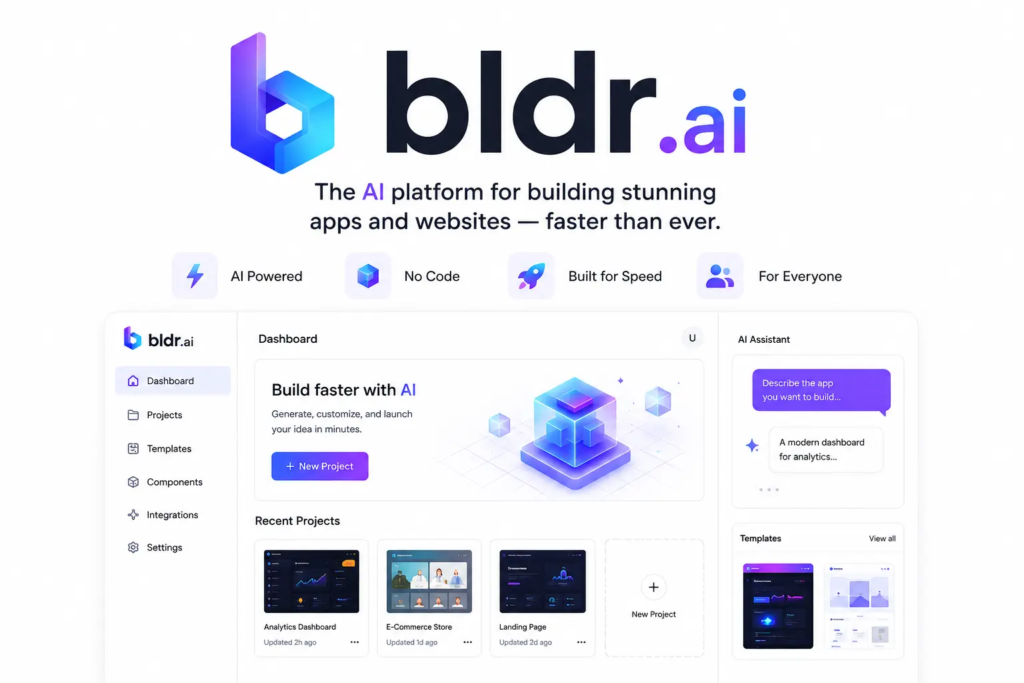
- BLDR (bldrai.dev) — an AI tool that generates full-stack web apps (frontend, backend, database) from a plain-English prompt. This is the one most people mean when they type “bldr ai” into Google.
- BLDR by Inova AI — a completely different, enterprise-focused product for building and governing internal AI agents and workflows. Not something a solo dev or small business owner would casually try out.
- BLDR (Discord community) — a tool built specifically for FiveM game server creators, used for scripting and 3D props.
- bldrs.ai — a browser-based tool for collaborating on 3D building models, more architecture/BIM territory than app development.
If you landed here wanting to build software with AI, you almost certainly want the first one. That’s what I focused my testing on, and it’s what the rest of this article is about.
My First Impression: It’s Genuinely Simple to Start
The pitch is that you type what you want, and it builds a working app — frontend, backend, and storage — without you touching config files. I tested it with something close to my original booking-form idea: a simple page where someone picks a service, enters their name and email, and the entry gets saved somewhere I can look at later.
I typed a prompt describing that in plain language, hit generate, and within a couple of minutes had something that actually rendered in the browser. Not a polished, production-ready product, but a working skeleton — a form, a table view of submissions, basic styling. For a first pass, that’s honestly more than I expected.
Where It Actually Helped
1. Killing the blank-page problem. The hardest part of any small project isn’t the logic, it’s starting. Having a working scaffold in front of me — even a rough one — meant I was editing instead of creating from zero. That alone saved me an hour or two of setup I’d normally spend on boilerplate.
2. No manual database wiring. Normally I’d have to pick a database, define a schema, connect it, and test the connection before I even get to the fun part. The generated app handled the storage layer automatically, which is the part I personally hate doing for quick projects.
3. Editing existing code. I also tried pointing it at a small GitHub repo I already had and asking it to add a feature. It didn’t nail everything on the first try, but it correctly found where to hook into the existing structure, which told me it’s not just doing greenfield generation blind.
Where It Fell Short (Be Ready For This)
I’d be doing you a disservice if I only told you the good parts, so here’s what tripped me up.
The generated code isn’t “done,” it’s a draft. Anyone expecting to prompt once and ship straight to real users is going to be disappointed. I had to go in and clean up styling, rename some auto-generated variables that made zero sense, and fix a validation bug where the email field accepted empty submissions.
Vague prompts give vague results. My first attempt at the prompt was too casual — something like “make a booking app.” What I got back was generic and missed half of what I actually needed. The moment I got specific (fields, what happens after submit, what the confirmation should say), the output got dramatically better.
Third-party integrations need double-checking. I asked it to hook in an email step. It technically wired something up, but I still had to go verify the API keys and test the email actually sent. Don’t assume “connected” means “working” — test every integration yourself before trusting it.
It’s still an early-stage tool. At the time I tried it, sign-up was gated behind a waitlist/launch notification, and features were clearly still being built out. If you’re expecting a mature, battle-tested platform like something that’s been around for years, temper that expectation.
Step-by-Step: How I’d Actually Use a Tool Like This
If you want to try an AI app builder (BLDR or otherwise) without wasting your first few attempts like I did, here’s the process that worked for me:
- Write your prompt like a spec, not a wish. Include the exact fields, what happens on submit, and what the user should see afterward. Treat it like you’re briefing a junior developer, not making a wish to a genie.
- Generate, then immediately click through every screen. Don’t just glance at the code — actually use the app as a real user would, including edge cases like submitting empty fields.
- Test the “invisible” parts first. Database saves, emails, authentication — these are the pieces that look fine visually but silently fail. Check them before you check the UI polish.
- Export or connect to your own repo early. Don’t build for hours inside a tool without a way to get your code out. Ownership of the code matters, especially if the platform changes pricing or shuts down.
- Budget time for manual cleanup. Treat the AI output as a strong first draft, not a final product. I’ve never had an AI-generated app that didn’t need at least some hand editing before I’d trust it in front of real users.
A Few Alternatives Worth Knowing About
Since BLDR isn’t the only player in this space, and it’s still maturing, it’s worth having other names in your back pocket: Bolt.new, v0 by Vercel, Lovable, and Replit’s AI Agent all do similar full-stack generation, each with their own strengths — some lean more toward frontend polish, others toward backend logic. If BLDR’s waitlist or feature set doesn’t fit your timeline, trying two or three of these side by side on the same small project is a good way to figure out which one actually clicks with how you think.
Common Mistakes People Make With Tools Like This
- Trusting the output blindly. Always read the generated code, even if you don’t fully understand every line. You want to at least spot obvious red flags.
- Skipping the small stuff. People get excited about the big feature and forget to test basic things like form validation or error states.
- Building something huge on the first try. Start with a small, boring project (like my booking form) to learn the tool’s quirks before trusting it with anything that matters.
- Ignoring security basics. If your app touches user data, don’t assume the AI handled things like input sanitization correctly — check it yourself.
Final Thoughts
Honestly, my two weeks with BLDR AI left me cautiously optimistic rather than blown away. It won’t replace knowing how to code, and it definitely won’t replace testing your own app before real people use it. But as a way to skip the tedious setup grind and get to a working starting point faster, it did its job.
If you’re a non-technical person trying to bring a simple idea to life, or a developer who just wants to skip the boilerplate on a side project, it’s worth a try — just go in expecting a solid first draft, not a finished product, and you won’t be caught off guard.





Leave a Reply