


Why Use AI Search Monitoring Tools
Why I Started Using AI Search Monitoring Tools (And Why I Wish I’d Started Sooner)
A few months back, I typed a question into ChatGPT about “best project management software for small teams,” half expecting it to mention my client’s product. It didn’t. Not even close. Three competitors got name-dropped, and my client’s tool — which genuinely ranks on page one of Google for that exact phrase — was nowhere in sight.
That was the moment it hit me. Ranking #1 on Google doesn’t mean much anymore if AI chatbots are quietly becoming the new front door to the internet. And if you’re not watching what these tools say about you, you’re basically flying blind.
I tested a bunch, made some dumb mistakes, wasted a bit of money on the wrong one, and eventually landed on a setup that actually works. Here’s everything I learned along the way.
Wait, What Even Is “AI Search Monitoring”?
Okay, quick breakdown before I get into the good stuff.
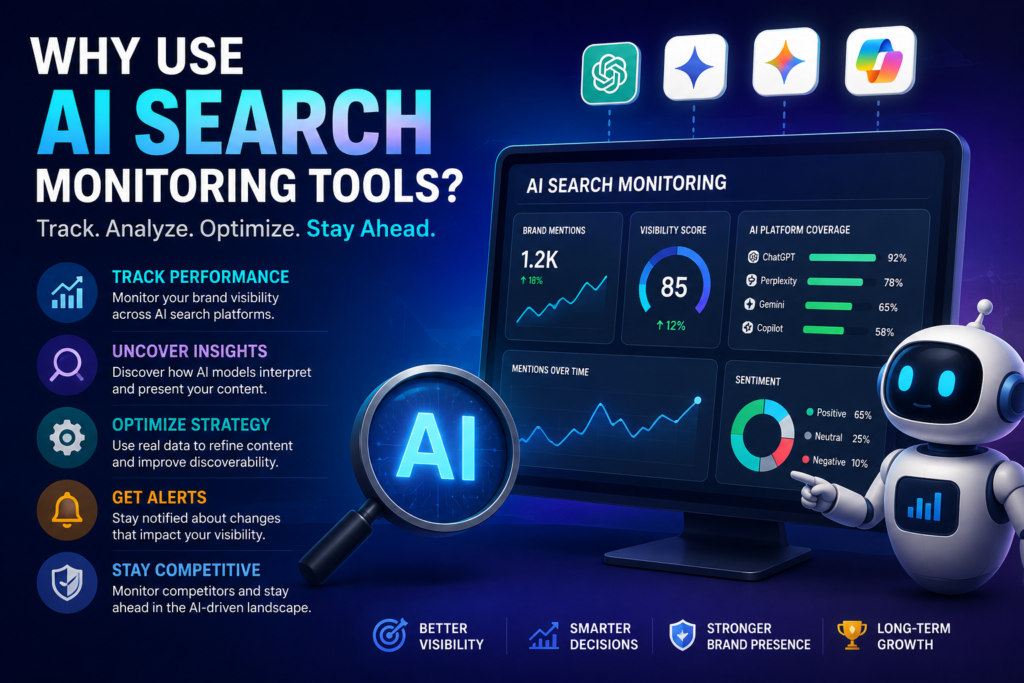
AI search monitoring tools track how your brand, website, or content shows up (or doesn’t show up) in answers from tools like ChatGPT, Google’s AI Overviews, Perplexity, Claude, and Gemini. Basically, instead of just checking where you rank on a Google results page, you’re checking whether an AI is mentioning you at all when someone asks it a relevant question.
Think of it like this: traditional SEO monitoring is checking if your restaurant shows up on a map. AI search monitoring is checking if a friend, when asked “where should I eat tonight,” actually recommends your place by name.
It’s a completely different game, and honestly, a lot of businesses haven’t caught up to it yet.
Why This Actually Matters (Not Just Hype)
I’ll be honest, when I first heard about “AI SEO” or “answer engine optimization,” I rolled my eyes a little. Felt like another buzzword marketers cooked up to sell courses.
Then I started paying attention to my own habits. I stopped Googling as much. Instead I’d just ask ChatGPT or Perplexity directly — “what’s a good budget laptop for video editing,” “compare these two CRM tools,” “is this supplement brand legit.” And I noticed I was clicking through to actual websites way less than before.
That’s the shift So if the AI doesn’t know you exist, or worse, gets facts about you wrong, you lose that customer before they ever land on your page.
A few real numbers that stuck with me from research I read while digging into this:
- Traffic from AI chat platforms to websites has been growing fast, even though it’s still smaller than traditional search traffic overall.
- A lot of AI-generated answers pull from a surprisingly small pool of sources per query, meaning being one of those sources matters a ton.
- Brands are increasingly getting mentioned in AI answers based on Reddit threads, review sites, and forums — not just their own website content.
That last point genuinely surprised me. I’ll get to why in a second.
My First Real Test
When I first started monitoring, I made the mistake of only checking ChatGPT. I’d type in a handful of questions manually, screenshot the responses, and call it a day.
Problem is, that’s not how these AI tools actually work. Ask the same question twice and you can get different answers. Ask it on Perplexity versus Gemini versus Claude, and the sources and mentions can be wildly different. My manual “spot checks” were giving me an incomplete, sometimes flat-out wrong picture.
Lesson learned: you can’t manually monitor this stuff consistently. You need something that runs multiple queries, across multiple AI platforms, on a schedule, and tracks changes over time. That’s literally what these monitoring tools exist for.
Tools I Actually Tried
I’m not going to pretend I tested every tool out there, but here’s what I spent real time with:
Profound — This one’s built specifically for tracking brand visibility across ChatGPT, Perplexity, and Gemini. It’s more enterprise-focused and the pricing reflects that, but the depth of data (which prompts trigger your brand, what sources get cited) was genuinely useful.
Semrush’s AI visibility features — If you’re already using Semrush for regular SEO (a lot of people are), their newer AI-tracking add-ons are a nice bolt-on since you’re not managing a separate dashboard.
Manual Perplexity + ChatGPT checks with a spreadsheet — Yes, I still do this occasionally as a sanity check. It’s free, and sometimes seeing the raw answer with your own eyes catches nuance a dashboard summary misses.
I’m not saying any one of these is “the best.” Genuinely depends on your budget and how deep you need to go. But having at least one dedicated tool running instead of guessing? That part isn’t optional anymore, in my opinion.
What I Learned From Actually Watching This Data
1. AI tools love citing forums and reviews more than your own website
This one stung a little. My client’s beautifully written product pages? Barely referenced. Meanwhile a three-year-old Reddit thread comparing project management tools got cited constantly. Turns out AI models tend to trust “real people talking” over polished marketing copy. So part of the strategy shifted toward getting genuine mentions and reviews out in places like Reddit, G2, and industry forums, not just optimizing our own site.
2. Being factually wrong in an AI answer is worse than not being mentioned
We found one instance where an AI tool described my client’s pricing completely inaccurately — quoted a price that hadn’t existed in over a year. That’s the kind of thing that actively loses a sale, and you’d never know it was happening without monitoring for it.
3. Small wording changes in your content can shift how AI summarizes you
This took some experimenting, but when we adjusted how we phrased key value propositions on the homepage (more direct, less “marketing speak”), we noticed AI answers started paraphrasing us more accurately within a few weeks. Not overnight magic, but it’s a real, observable effect.
4. Different AI tools have different “personalities”
ChatGPT tends to hedge and give balanced comparisons. Perplexity leans heavily on citing sources directly, almost like a research assistant. Gemini pulls a lot from Google’s existing index. Knowing this helped us stop treating “AI search” as one single thing to optimize for.
A Simple Step-by-Step Way to Start Monitoring (Without Overwhelming Yourself)
If you’re just getting into this, here’s roughly the process I’d recommend, based on trial and error:
Step 1: List 10-15 real questions your customers would ask an AI. Not keyword-stuffed search terms — actual conversational questions. “What’s the best accounting software for freelancers under $20 a month” not “accounting software freelancers cheap.”
Step 2: Manually run those questions through ChatGPT, Perplexity, and Google AI Overviews first. Do this before paying for any tool. See where you stand today. Screenshot everything.
Step 3: Pick one monitoring tool that fits your budget and set it to track those same questions. Start small.
Step 4: Check in weekly, not daily. AI answers don’t shift that fast usually. Checking daily just creates noise and anxiety over nothing.
Step 5: When you spot a gap or an error, fix the root cause. Usually that means updating your website content, getting more genuine reviews out there, or clarifying facts (like pricing or features) that seem to be confusing the AI.
Step 6: Re-check after a month. Give changes time to actually get picked up and re-indexed by these AI models.
Common Mistakes People Make With This
Chasing every AI tool at once. You don’t need to obsess over Bing Copilot, Claude, Meta AI, and five others simultaneously if your customers primarily use ChatGPT and Google. Focus where your audience actually is.
Treating this exactly like traditional SEO. Keyword stuffing doesn’t help here. These models are looking for clear, trustworthy, well-structured information — not keyword density.
Ignoring third-party mentions. Your own website is only part of the picture. Reviews, forums, and other sites talking about you matter just as much, sometimes more.
Giving up after one check. I almost did this myself early on. The first month of data felt discouraging. It took consistent monitoring over a few months before I actually saw meaningful shifts.
Panicking over one bad mention. AI answers vary. One weird or unflattering response doesn’t mean the sky is falling — look for patterns over time, not single snapshots.
So, Is It Actually Worth It?
Honestly? For anyone running a business, blog, or brand that depends even a little on people finding you online, yeah, I think it’s worth setting up some kind of monitoring now rather than later.
It doesn’t have to be expensive or complicated. Even just manually checking a handful of questions across ChatGPT and Perplexity once a week is better than nothing.
I went from being completely invisible to AI chatbots on questions I should’ve been showing up for, to actually seeing my client mentioned by name in AI answers within a couple months. That shift didn’t happen by accident. It happened because we started watching, testing, and adjusting based on what the data actually showed us — not what we assumed was happening.
If you’ve never checked how AI describes your business, that’s honestly the first step. Open ChatGPT right now, ask it something a customer would ask, and see what comes back.






Leave a Reply