


AI Detection Tool
I Wrote an Article Myself, and an AI Detection Tool Called It 80% AI
Out of curiosity, I pasted it into an AI detection tool before publishing. The result: “80% likely AI-generated.” I stared at the screen for a good minute
That moment changed how I look at these tools. If you’re a student, a freelance writer, a blogger, or an editor who has ever been told “this looks like AI,” this guide is for you. I’ll share what I learned from testing several detectors, where they fall apart, and how to use them sensibly.
What an AI detection tool actually does
Forget the technical definitions. In plain terms, an AI detector looks at your text and guesses how “predictable” it is.
AI models tend to write in smooth, safe, evenly paced sentences. Humans are messier. We ramble, we repeat ourselves, we throw in a short sentence out of nowhere
The key word is guess. These tools don’t know who wrote your text. They compare it against patterns and give you a probability. Many people treat that percentage like a lie detector result, and that’s where the trouble starts.
The tools I tried
I ran the same set of samples through several popular detectors:
- GPTZero: popular with teachers, and it highlights sentences it considers suspicious.
- Copyleaks: used by schools and businesses, supports many languages.
- ZeroGPT: free and easy, but I found it the most inconsistent.
- Winston AI: clean interface, includes a readability view.
- Sapling: a simple free checker that’s good for a quick second opinion.
Pricing and free limits change often, so check each site directly before paying for anything.
How I tested them
I didn’t want to rely on one lucky result, so I used four types of text:
- A post I wrote entirely myself.
- A post generated by an AI model with no edits.
- The same AI post after I heavily rewrote it, adding my own examples and cutting the stiff parts.
- A short paragraph from an older article I wrote years ago, before AI writing tools were common.
What surprised me
The raw AI text was caught most of the time, but not always. Some detectors flagged it immediately. The same text got completely different verdicts depending on the tool.
My own writing got flagged more than once. My most “polished” paragraphs, the ones where I’d edited carefully for clarity, scored as more AI-like than my rough, casual sections. Clean, tidy writing looks suspicious to a machine.
The old article was flagged by one tool. Something I wrote long before this AI boom was marked as partly AI. That one made me stop trusting any single result.
The heavily edited AI draft scored mostly human. Which tells you something uncomfortable: these tools can’t reliably separate “AI-assisted and edited” from “human.”
Why false positives happen
This isn’t just my experience. Researchers have raised concerns that AI detectors can be biased against non-native English writers. A well-known Stanford study from 2023 found that several detectors wrongly flagged a large share of essays by non-native English speakers as AI-generated.
Think about why. If English is your second language, you may rely on simpler vocabulary and safer sentence structures, which is exactly the “predictable” pattern detectors look for.
OpenAI also shut down its own AI text classifier in 2023, citing its low accuracy. If the company behind ChatGPT couldn’t make a reliable detector, take every percentage you see with a pinch of salt.
If you’re a student in a country where English isn’t the first language, this matters a lot. A false flag can mean a very stressful conversation with a teacher. Keep that in mind when you read the tips below.
How to use an AI detection tool the smart way
Here’s the process I follow now. It takes about ten minutes and saves me from panicking over a single score.
Step 1: Never rely on one tool
If one says 80% AI and two say mostly human, the first one is probably the outlier. If all of them agree, that tells you more.
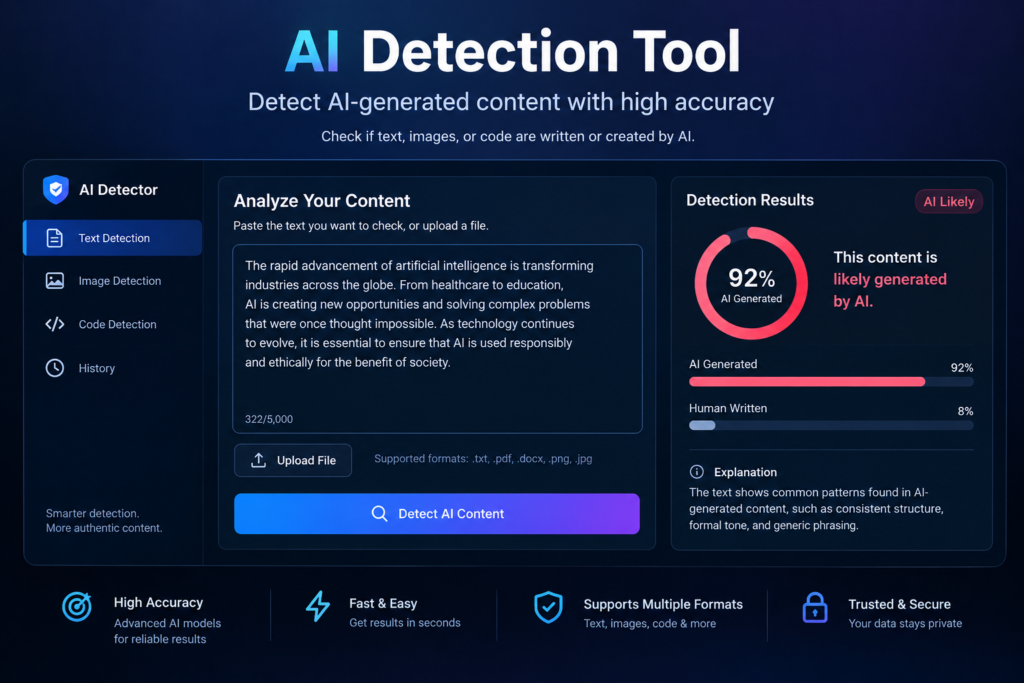
Step 2: Check the sentence-level highlights, not just the total
The overall percentage is the least useful part. Look at which sentences were flagged. Often it’s the generic, “textbook” lines, like a bland opening sentence or a summary line that says nothing specific.
Step 3: Fix the flagged lines by adding real detail
Don’t just swap words with a synonym tool. That makes the text worse and often doesn’t change the score anyway. Instead, add something only you would know: a specific example, a number from your own experience, a small opinion, a mistake you made.
For example, I had this line: “Time management is an important skill for remote workers.” Flagged immediately. I replaced it with: “My worst work-from-home week was the one where I opened my laptop at 9 and realised at 2 PM I’d done nothing but reply to messages.” That passed without a problem, and it’s a better sentence anyway.
Step 4: Read it out loud
If it sounds like a corporate brochure when you say it aloud, it’ll probably read like AI too. Break up long sentences. Use contractions. Let it sound like you.
Step 5: Keep your drafts
If you ever need to prove you wrote something, version history in Google Docs or Word is your best evidence. It shows the text growing over time, with edits and deletions. Detectors can’t give you that.
Where these tools are actually useful
I don’t want to make it sound like they’re worthless. Here’s where I find them helpful:
- Editing other people’s work. If I’m reviewing guest posts, a high score is a reason to ask questions, not to accuse anyone.
- Spotting lazy, generic writing. Even when the flag is wrong, it often points to a paragraph that really is bland.
- A quick sanity check before publishing. Especially if you used AI for brainstorming or an outline and want to make sure the final voice is yours.
Common mistakes to avoid
Treating the score as proof. A detector result is a hint, not a verdict. Don’t accuse a student or writer based on one number.
Using “humanizer” tools blindly. I tried a couple. They scramble sentences, introduce awkward phrasing, and sometimes still get flagged. Your readers notice the damage even if the detector doesn’t.
Pasting tiny snippets. Most tools are unreliable on short text. Give them at least a few hundred words for a meaningful result.
Ignoring the actual quality. I’ve seen people obsess over getting “100% human” while their article says nothing useful. Google’s guidance has focused on helpful, original content, whatever tool produced it. Spend your energy there.
Uploading private or confidential text. Many free tools store or process what you paste. Don’t run client contracts or unpublished work through a random website without checking its privacy policy.
If you get falsely flagged
If a teacher, client, or editor flags your work, stay calm. Here’s what helps:
- Show your draft history or notes.
- Offer to explain your sources and walk through your argument.
- Point out the known limitations of these tools, with the Stanford research as a reference.
- Offer to write a short sample in front of them if it’s appropriate.
Most reasonable people respond well to a calm, evidence-based answer.
My honest take
I still use AI detection tools, but I treat them like a smoke alarm that sometimes goes off when you make toast. Useful to have, not something to obey blindly.
The best protection isn’t a clever tool. It’s writing that has you in it: your examples, your opinions, your small imperfections. That’s hard for a machine to fake, and it’s also what readers actually enjoy.
So next time a detector gives you a scary number, take a breath, check a second tool, look at the highlighted lines, and ask one question: does this sound like me? If the answer is yes, you’re probably fine.






Leave a Reply