


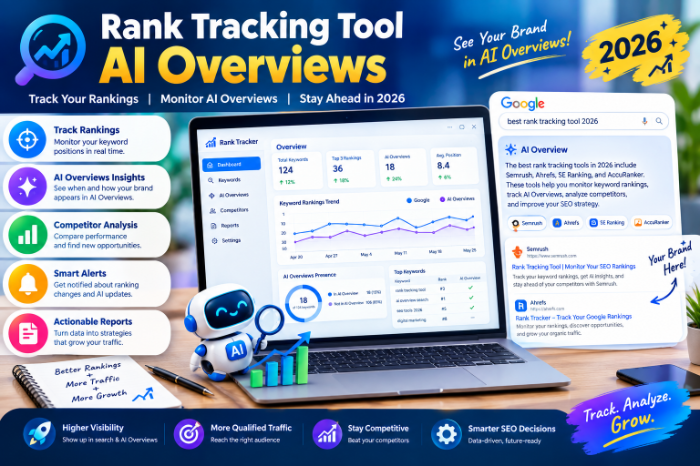
Rank Tracking Tool AI Overviews
Rank Tracking Tool for AI Overviews: What I’d Look For (and What I Got Wrong)
One of my posts was sitting at position 3 for a keyword I cared about. Green arrow, steady line, nothing to worry about.Then I searched the keyword myself. The “position 3” I was proud of was sitting well below the fold.My tracker wasn’t lying, exactly. It was answering an old question: “Where do you rank in the list of blue links?”
Why your old rank tracking numbers can feel off now
For years, rank tracking was simple. You picked keywords, a tool checked Google every day, and you watched numbers go up or down.
AI Overviews changed the picture. Depending on the query, Google may show a generated summary above the normal results, often with a few linked sources. That affects things in a few ways:
- Your position can be “3” while the page looks like position 8 to a real person.
- You might rank well and not be cited, so you lose clicks anyway.
- The overview can appear for a keyword one week and disappear the next.
So “where do I rank?” is now only half the question.
Two jobs, not one
This took me a while to get. Tracking AI Overviews actually involves two separate jobs:
Job 1: Detection. Does an AI Overview appear for this keyword? Many standard rank trackers now flag this as a SERP feature, the same way they flag featured snippets or video carousels.
Job 2: Citation tracking. A lot of the confusion I see comes from people expecting one tool to do both perfectly. Some do. Many do the first well and the second only partially.
The kinds of tools out there
I tested or looked closely at a mix of options. Here’s how I’d group them.
All-in-one SEO suites. Semrush, Ahrefs, and SE Ranking all track keyword positions and have added AI Overview features in some form. Their AI visibility layers are often separate add-ons or higher-tier features, so read the plan details carefully.
Specialist rank trackers. AccuRanker, Nightwatch, and Wincher focus heavily on tracking and reporting. Some have added AI-related features, but their strength is fast, granular position data.
Dedicated AI visibility tools. Peec AI, Profound, and similar newer platforms focus on whether your brand shows up in AI answers across several engines, not just Google.
Free options. Google Search Console is still the baseline for your real impressions and clicks. Pair it with whatever paid tool you choose.
What I’d check before paying for anything
I made the mistake of choosing a tool based on a nice dashboard. Here’s the checklist I use now. Rank Tracking Tool AI Overviews
- Does it detect AI Overviews per keyword? This is the minimum.
- Does it show which sources are cited? Detection alone only tells you the box exists.
- How often does it check? Daily is better than weekly, since overviews come and go.
- Can you set location and device? Results vary by both, and mobile can look very different from desktop.
- Is the AI feature included or an add-on? The advertised price and the price you actually pay can differ a lot.
- Can you export data or get reports? You’ll want this the moment someone asks, “So is this working?”
If a tool can’t answer these clearly, I move on.
Step-by-step: setting up AI Overview tracking without overcomplicating it
This is the setup I’d use if I were starting fresh with a small site.
Step 1:
My first project had 400 keywords. I looked at it twice and never again.
Pick 30 to 50 keywords that matter: your money pages, your best-performing posts, and a handful of questions your customers really ask. Quality beats quantity here.
Step 2: Check the real results by hand first
Before trusting any tool, search your top 10 keywords yourself in a private window. Note which ones show an AI Overview and whether you’re cited.
This gives you a baseline to compare with the tool’s data.
Step 3: Set up tracking with the right settings
Choose the correct country, language, and device. If you serve a local audience, set the location as precisely as the tool allows.
Step 4: Tag keywords by type
Group keywords into simple buckets: how-to, comparison, product, and local, for example. AI Overviews tend to appear more often on some types of queries than others, and grouping helps you see patterns instead of noise.
Step 5: Track organic rank and AI presence separately
This is the habit that changed how I read my reports. Don’t fold them into one number. Keep two columns in your head, or in your spreadsheet:
- Where I rank in the normal results
- Whether I’m cited in the AI Overview, when one appears
Those can move in opposite directions, and that’s useful information.
Step 6: Compare against Search Console
Every couple of weeks, check Search Console. Look at impressions and clicks for the same pages. If your tracker says everything is fine but clicks are dropping, an AI Overview may be absorbing the traffic.
Don’t treat that as proof, though.
Step 7: Act on what you find
Tracking alone doesn’t help. If a keyword has an AI Overview and you’re not cited, look at who is. Then improve your own page the same way, and keep checking.
A realistic example
Say you run a small site about home coffee brewing. You track “how to clean a coffee grinder” and see:
- Your page ranks 4th.
- An AI Overview appears, citing two competitors and a manufacturer.
- Your page isn’t cited.
You open the cited pages and notice they all give a short, direct answer in the first few lines, then a numbered list. Yours opens with a long personal story before getting to the point.
You move a clear two-sentence answer and the steps to the top, and keep the story lower down. I can’t promise it works every time, and nobody outside Google fully knows how citations are picked
Mistakes I made (and keep seeing)
Treating one reading as the truth. AI Overviews can change between checks.
Trusting AI visibility scores blindly. Many tools give you a neat 0 to 100 style score.
Ignoring the clicks. A citation feels great, but it doesn’t always send traffic. Always check whether it translates into visits.
Tracking too many keywords. More data isn’t more insight. Rank Tracking Tool AI Overviews
Forgetting about mobile. I kept checking on desktop. My audience was mostly on phones, where the layout pushed organic results even lower.
Which route I’d pick
If I had to simplify it:
- Tight budget: Search Console plus a low-cost tracker that flags AI Overviews, plus manual checks on your top keywords.
- Already using an SEO suite: See what AI features your current plan offers before buying anything new.
- Agency or multiple clients: Look for solid reporting, daily checks, and AI visibility in the same project.
- Brand that cares about ChatGPT, Perplexity, and Gemini too: Consider a dedicated AI visibility tool alongside your normal rank tracker.
Final thoughts
The biggest shift for me was stopping the question “What’s my rank?” and starting to ask “What does the searcher actually see, and am I in it?”
You don’t need an expensive setup to start. Search your top keywords by hand this week, note which ones trigger an AI Overview, and decide whether you want to track them with a tool. That one small step will probably tell you more than a month of staring at a green arrow.
Mine did, and it was the Monday I realized position 3 wasn’t where I thought it was. Rank Tracking Tool AI Overviews








Leave a Reply