


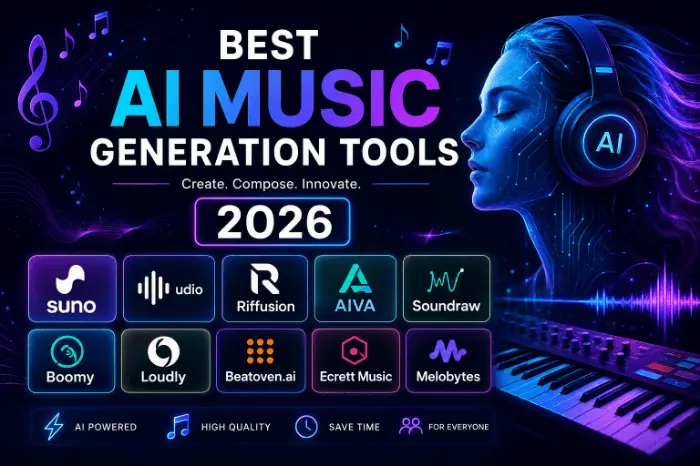
Best ai music generation tools 2026
Best AI Music Generation Tools in 2026 (Tried,Regrets)
Last winter I needed background music for a YouTube video in about two hours. No budget, no musician friends awake at that hour, and stock music sites kept flagging the same five tracks everyone else on the platform was already using. Out of pure desperation I typed a mood into an AI music generator, hit create, and had a usable track before my coffee got cold.
That was the moment I stopped treating AI music tools as a gimmick. I’ve spent the last several months bouncing between different platforms for videos, a few personal projects, and one embarrassing attempt at a birthday song for my dad. Some of it worked beautifully. Some of it was a waste of credits. Here’s what actually holds up in 2026, based on hands-on use, not just reading spec sheets.
Why This Space Changed So Fast
Two years ago, AI-generated music sounded like a music box having a stroke. Robotic, thin, and obviously fake the second vocals kicked in. That’s not the case anymore.
The tools available right now can generate a full song with vocals, verses, a chorus, and an actual arrangement in under a minute. The catch is that quality, licensing, and control vary wildly between platforms, and picking the wrong one for your specific job can waste hours.
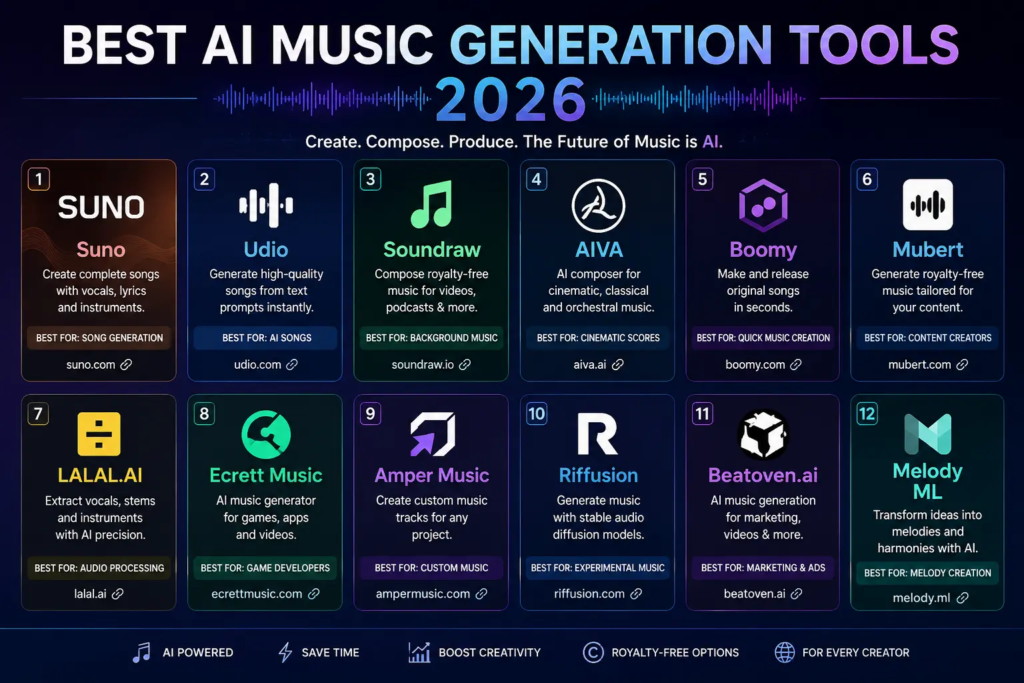
Suno — Still the One Everyone Talks About
Suno is usually the first name people bring up, and for good reason. You give it a short prompt, or your own lyrics, and it builds a complete track with vocals and structure around it.
I fed it something absurd once, just to test it: a folk song about my houseplants dying because I forget to water them. It came back with two full versions, one genuinely funny and oddly catchy, the other kind of forgettable. That’s honestly how most of my Suno sessions go. You’ll get a handful of options and one usually stands out.
What I like: The free plan gives you enough daily credits to actually experiment instead of feeling rationed. The Studio editing feature lets you go in and fix a section instead of regenerating the whole song from scratch, which saved me more than once when a bridge came out weird.
What bugs me: Lyrics occasionally feel like filler, especially on longer tracks. And if you want full commercial rights along with the deeper editing tools, you’re looking at the higher-tier plan, which isn’t exactly pocket change for a hobbyist.
Best for: Anyone who wants a complete song fast and doesn’t mind generating a few versions before landing on a keeper.
Udio — More Control, More Patience Required
Udio takes a slower, more deliberate approach. Instead of accepting whatever comes out on the first try, it’s built around iteration. You describe the genre, mood, and style, generate a draft, then keep nudging it with new prompts until it gets closer to what’s in your head.
I used it for a cinematic instrumental piece and genuinely appreciated the stem downloads on the paid tier. Getting vocals, drums, bass, and instrumentals as separate files meant I could actually pull it into a proper editor and mix it myself instead of accepting the AI’s final balance.
One thing worth knowing: Udio has been through some licensing turbulence, including a settlement with a major label, and there was a stretch where downloads were paused entirely during a transition period. If you’re planning to use tracks commercially, it’s worth double-checking the current terms on their site before you build a whole project around it.
Best for: Producers who want to treat the AI output as raw material rather than a finished product.
BandLab — The Free All-Rounder
BandLab isn’t just a generator, it’s a full cloud-based studio you can use straight from a browser or your phone. I stumbled onto it while looking for something to record a rough vocal idea on the subway, and ended up sticking around because it does a lot more than expected.
The SongStarter feature throws out quick musical ideas when you’re stuck, and the Splitter tool separates vocals and instruments from existing tracks, which is genuinely handy if you want to sample or remix something you already have. Everything saves to the cloud automatically, so I never lost a session even after closing the tab without saving, which has happened more than once.
Best for: People who want an actual DAW with AI features baked in, not just a one-shot generator.
Beatoven.ai — When the Music Needs to Match a Story
This one earns its place for a very specific reason: it’s built around emotion, not genre. You tell it a scene needs to feel tense, then hopeful, then quietly sad, and it builds music that shifts across those beats instead of looping the same mood the whole way through.
I used it for a short documentary-style edit and it handled the emotional pacing far better than I expected. You get a main track plus a few alternate versions each time, so you’re not stuck with a single interpretation of “sad.”
Mistake I made early on: I tried using it for an upbeat product ad and the results felt flat. Beatoven is at its best when there’s a narrative arc to follow, not a straightforward hype track.
Best for: Video editors, documentary makers, and anyone scoring something with an emotional arc rather than a static vibe.
Mubert — Built for Creators, Not Musicians
Mubert doesn’t ask you to think in keys or BPM. It works off moods and curated playlists, which sounds simple but actually matches how most content creators describe what they want, things like “lo-fi focus” or “tense but not aggressive.”
If your week involves churning out multiple videos, podcast intros, or livestream backgrounds, this is the one that saves the most time. It’s not trying to be a songwriting tool, and that focus is exactly why it works so well for background audio at scale.
Best for: YouTubers, podcasters, and anyone who needs a steady supply of royalty-free background tracks without overthinking each one.
AI Singer and Voice-Cloning Tools — The Personal Gift Category
This is a smaller but genuinely fun corner of the space. Tools built specifically around voice cloning let you record a short voice sample and get an original song sung back in that voice. I tried this for a family birthday and the result, while not perfect, got a real laugh and a few tears in the room, which honestly beats a store-bought card.
Kits.ai works a bit differently. Instead of generating a new song, it swaps vocals on a track you already have, which is more useful if you’re a musician who already recorded something and wants a different voice on it.
Best for: Personal, sentimental projects, birthday songs, memorial tributes, wedding surprises, rather than commercial releases.
Step-by-Step: How I Actually Use These Tools Now
- Define the job first. Full song with vocals? Background music for video? A birthday gift? Each of those points to a different tool, and trying to force one platform to do all three usually gives mediocre results.
- Write a specific prompt. Vague prompts get vague music. I try to hit four things: what it’s for, what it should sound like, what it should feel like, and anything to avoid. “Upbeat pop, not too loud, no distorted vocals” works far better than “make it fun.”
- Generate a few versions before judging. Most platforms give you multiple takes per prompt. Don’t write off a tool after one bad result, the second or third generation is often noticeably better.
- Check the licensing before you publish anything. This is the step people skip and regret. Free-tier tracks are not automatically safe for commercial use or monetized content. Always check the current terms on the platform itself, since pricing and rights change often.
- Use editing tools instead of starting over. If a section feels off, look for stem separation or section-editing features before regenerating the whole track from scratch. It saves credits and usually keeps the parts that were already working.
Common Mistakes I’d Avoid Next Time
Assuming free means usable everywhere. I almost put a free-tier track under a client video before checking the terms. Turns out that plan was for personal use only. Always read the fine print.
Over-prompting. I used to write paragraph-long prompts describing every instrument I wanted. The results got muddier, not better. Short, clear direction consistently beats a wall of detail.
Sticking to one tool for everything. Suno is great for full songs, Mubert is better for background music, Beatoven is better for emotional pacing. Trying to make one platform do all three jobs usually means settling for “good enough” instead of actually good.
Ignoring the vocal test. If vocals matter to your project, generate a vocal track before committing to a platform. Some tools handle instrumentals beautifully but the moment lyrics show up, the whole mix falls apart.
Where This Leaves You
None of these tools replace a musician, and honestly, they’re not trying to. What they do is remove the barrier that used to stop non-musicians from making something that sounds finished. A few months ago I couldn’t have produced a usable soundtrack for a video in an afternoon. Now it’s routine.
If you’re just starting out, don’t overthink it. Pick one tool that matches your actual project, not the one with the flashiest homepage, run a few free generations, and see if the output matches what’s in your head. That’s the only test that really matters.








Leave a Reply