


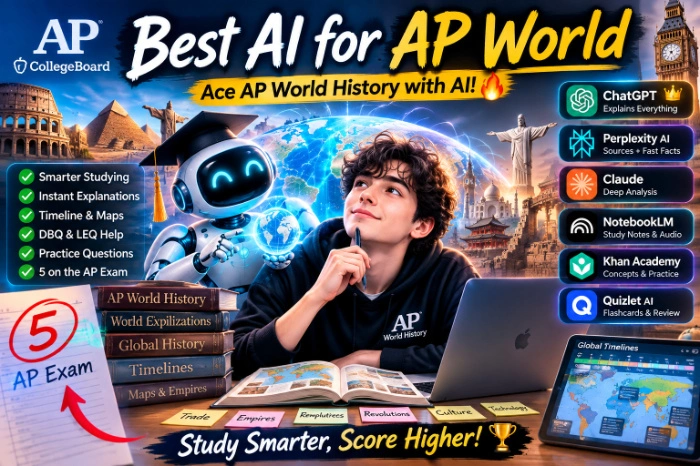
Best AI For AP World
Best AI Tools for AP World History (What Actually Worked When I Tutored My Cousin Through It)
Last spring, my cousin texted me at 11pm, three weeks before her AP World History exam, basically in a panic. I still have it saved.
I’m not a history teacher. I just happen to be the family tech person who ends up testing every app under the sun. So instead of trying to re-teach her the Mongol Empire at midnight, I started throwing AI tools at the problem to see what would actually help her study smarter instead of just cramming harder.
We ended up using a handful of them over those three weeks, and honestly, some were way more useful than others. A couple were basically useless for this specific exam. So here’s the real rundown — not a “top 10 AI tools” listicle written by someone who’s never opened the College Board’s AP World framework, but what actually worked when the clock was ticking.
Why AP World History Is a Weird Beast for AI Tools
Before I get into the tools, it’s worth explaining why this exam is tricky to prep for with AI in the first place.
AP World isn’t just “know facts.” It’s built around historical thinking skills — comparison, causation, continuity and change over time (CCOT), and contextualization. The DBQ and LEQ essays aren’t graded on how many dates you remember. They’re graded on whether you can build an argument and use evidence properly.
A lot of AI tools are great at spitting out facts. Fewer are good at helping you practice actual historical reasoning or catching weak arguments in your writing. That distinction mattered a lot for what we ended up sticking with.
What We Actually Used (and How It Went)
1. ChatGPT (Plus, but the free version works fine too)
This became our main tool, honestly. Not because it’s the “best AI” in some abstract sense, but because it was flexible enough to do three different jobs.
We used it for:
- Explaining confusing periodization (why does the College Board split things at 1450, 1750, 1900? ChatGPT actually explained the logic better than her review book did)
- Turning her messy notes into practice questions
- Reading her LEQ practice essays and telling her where the argument fell apart
That last one was the real win. I had her paste in a practice essay and ask specifically: “Does this essay have a clear, defensible thesis? Does it use at least two pieces of specific evidence? Point out where I’m just summarizing instead of analyzing.” Framing the prompt that way mattered a lot. When she just asked “grade my essay,” it gave vague, overly nice feedback. When she asked it to check for specific AP rubric requirements, it got noticeably sharper.
Mistake we made early on: she asked it to just “write notes on Song Dynasty China” and pasted whatever it gave her straight into her study doc without checking it against her textbook. Two of the details were slightly off — not wildly wrong, but the kind of imprecise phrasing that could cost points on a specific-evidence question. Lesson learned: always cross-check dates and specific details against your actual course materials or a trusted source.
2. Khanmigo (from Khan Academy)
If your school has access to this, it’s genuinely built for exactly this situation, and it shows. Khan Academy has an actual AP World History course with content aligned to the real exam framework, and Khanmigo is layered on top of it as a tutor that won’t just hand you answers.
The difference from ChatGPT: when my cousin asked it to explain the causes of the Columbian Exchange, it didn’t just dump a paragraph. It asked her a follow-up question to check she actually understood the concept before moving on. Annoying at 11pm when you just want the answer, but it’s genuinely better for retention.
Downside: it’s a bit slower and more guided than she wanted when she just needed quick fact-checking. It’s better as a study partner than a reference tool.
3. Quizlet’s AI features (Q-Chat and the auto-generated study sets)
We used Quizlet mostly for vocabulary and quick recall — terms like “tributary state,” “proto-industrialization,” that kind of thing. Its AI can generate practice questions from your own notes, which was genuinely handy the night before the exam when she just needed rapid-fire review, not deep explanations.
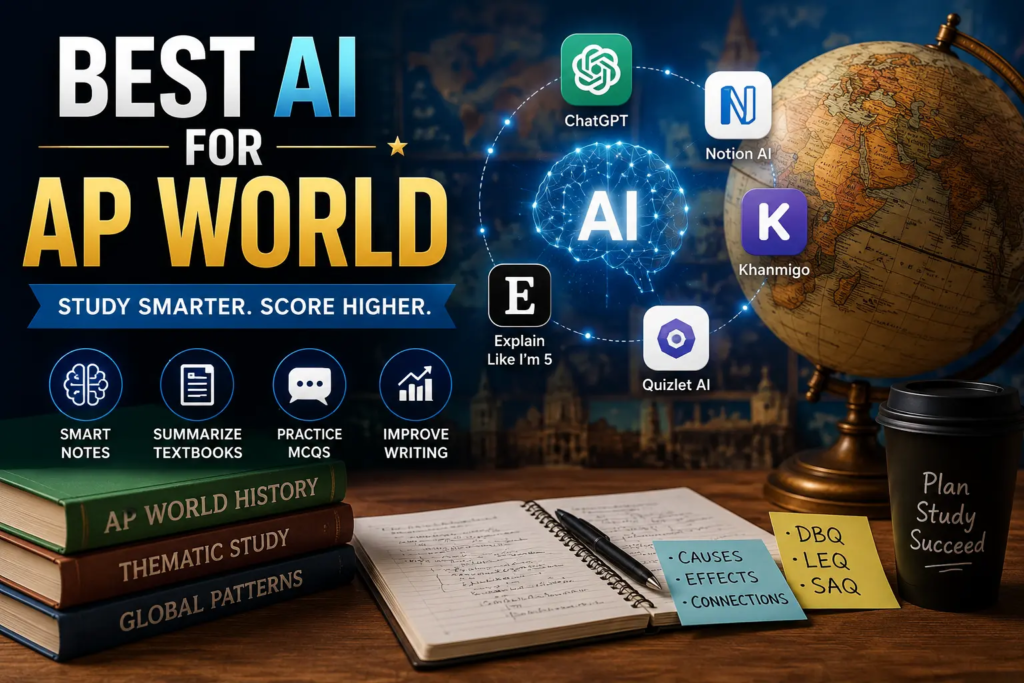
I wouldn’t lean on it for essay prep though. It’s a memorization tool, and AP World punishes pure memorization if you can’t connect it to an argument.
4. Claude (yes, this one)
We tried this specifically for essay feedback since a friend recommended it for longer writing tasks. It was solid for the same reason ChatGPT was — good when you give it a specific rubric-based prompt instead of a vague one. It handled longer DBQ practice responses well and was decent at pointing out where she wasn’t using enough documents to support her argument, which is a super common point-loss on that specific essay type.
Honestly, between this and ChatGPT, the quality was close enough that it came down to which one she had already logged into on her phone. Don’t stress too much about picking “the one best AI” — the prompting matters more than the brand.
Step-by-Step: How to Actually Use AI for AP World Prep
If you want to skip our trial and error, here’s the process that worked by the end of those three weeks:
Step 1: Get the actual College Board framework first. Don’t start with AI. Start by knowing what the nine units are and what skills they test. AI is way more useful once you can ask it targeted questions instead of “help me study history.”
Step 2: Use AI to explain, not to memorize for you. When you hit a confusing concept — say, the tributary system in East Asia — ask the AI to explain it like you’re a beginner, then ask it to connect it to a bigger theme (trade networks, state power, whatever). That connection-making is what the exam actually tests.
Step 3: Generate practice questions from your own notes. Paste your class notes in and ask for multiple-choice or short-answer questions based specifically on that content. This catches gaps way faster than rereading your notes for the fifth time.
Step 4: Get specific with essay feedback. Don’t ask “is this good.” Ask it to check for a defensible thesis, specific evidence, complexity, and (for DBQs) proper document use. Reference the actual rubric language if you can find it — the AI responds way better to specific criteria.
Step 5: Fact-check anything that feels like a stretch. If a date, name, or claim feels oddly specific or you haven’t seen it before, do a quick search or check your textbook. AI tools occasionally get confident about details that are slightly wrong.
Common Mistakes People Make
- Treating AI-generated notes as final. Always a first draft, never the finished product.
- Asking vague questions. “Help me with AP World” gets you nothing useful. “Explain the causes of the fall of the Mongol Empire and how it connects to trade network changes” gets you gold.
- Skipping the actual practice exams. AI can help you understand content, but nothing replaces doing real timed DBQs and MCQs from College Board’s released materials.
- Ignoring the rubric. The AP exam is graded on specific, published criteria. If your AI feedback isn’t referencing that, it’s just giving generic writing advice.
How It Actually Turned Out
My cousin scored a 4. Not a perfect 5, but a solid jump from where she was three weeks out, and she said the essay feedback loop with ChatGPT and Claude made the biggest difference — mostly because it let her fix the same mistake in her writing five or six times before the actual exam instead of finding out on test day.
No AI tool is going to hand you a passing score. But used the right way — as a tutor who never gets tired of your questions at midnight — they genuinely make the studying process less miserable. If you’re prepping right now, my honest advice: pick one general-purpose AI (ChatGPT or Claude) for explanations and essay feedback, use Khan Academy’s course if you have it for structured content, and use Quizlet for quick vocab drills. That combo covered pretty much everything we needed.







Leave a Reply