


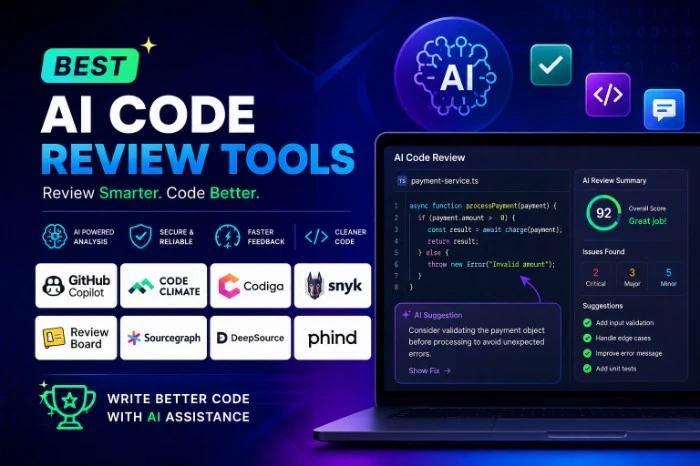
Best AI Code Review Tools
Best AI Code Review Tools: What Actually Works (After Testing a Bunch of Them)
Last month I was reviewing a pull request at 11 PM, half asleep, and I approved a change that quietly broke our staging environment the next morning. Nothing dramatic — just a null check that got deleted somewhere in a 40-file diff. But it cost us half a day of debugging, and it’s the kind of mistake that happens constantly when you’re the human bottleneck standing between “code written” and “code merged.”
That incident is basically why I started actually using AI code review tools instead of just reading about them. I’d been skeptical for a while — half the “top 10 AI tools” articles online read like they were written by the tool’s own marketing team (because a lot of them are). So I spent a few weeks wiring a handful of these into real repos, at a real job, with real deadlines, and I want to walk you through what actually happened.
Why I bothered in the first place
Here’s the thing nobody tells you about AI coding assistants: they write code fast, but they also write code that needs more review, not less. There was a widely cited GitClear study a couple years back looking at over 150 million lines of code, and it found that code churn roughly doubled as AI coding assistants went mainstream — basically meaning a lot of AI-generated code gets rewritten shortly after it’s written. That tracked with what I was seeing on my own team. We were shipping faster, but also creating more rework.
So the logic was simple: if AI is generating more code, and more of it needs fixing, maybe AI should also be the thing catching those issues before a human has to.
What I actually tested
I didn’t try all seventeen-ish tools that exist now (yes, it’s really gotten that crowded). I focused on the ones that kept coming up as genuinely different from each other, not just repackaged versions of the same idea.
CodeRabbit — the “just works” option
This was the easiest one to set up, hands down. You connect your GitHub or GitLab repo, and within minutes it’s leaving line-by-line comments on pull requests, plus a plain-English summary at the top of the PR describing what changed and why it might matter.
What I liked: the false-positive rate was noticeably lower than I expected. It didn’t nitpick style stuff my linter already handled. It focused on logic issues, missed edge cases, and inconsistent naming across files.
What bugged me: it doesn’t do security scanning (SAST, secret detection, that kind of thing) on its own, so if that’s a requirement for you, you’re stacking it with something like Snyk or SonarQube anyway.
CodeAnt AI — the all-in-one for compliance-heavy teams
If your team is working toward SOC 2, or you’re juggling GitHub, GitLab, Bitbucket, and Azure DevOps all at once (rough, but it happens at bigger orgs), CodeAnt AI is worth a look. It bundles AI PR review with SAST, secrets detection, and infrastructure-as-code scanning in one place, so you’re not stitching together three separate dashboards.
I tested it on a repo with some intentionally sloppy Terraform files, and it flagged a couple of misconfigured IAM permissions that our previous setup had missed. That alone made it worth the trial.
SonarQube — the old reliable
SonarQube isn’t new, and it’s not flashy, but it’s still the tool a lot of enterprise teams default to for static analysis depth. It scans 40+ languages, has customizable quality gates that can block a merge outright if code doesn’t meet your standards, and its newer AI features can suggest fixes automatically instead of just flagging the problem.
It’s less “conversational” than CodeRabbit — you’re not getting a friendly PR summary — but if code quality metrics across an entire org is what you care about, it’s still hard to beat.
Greptile — good for smaller teams and open source
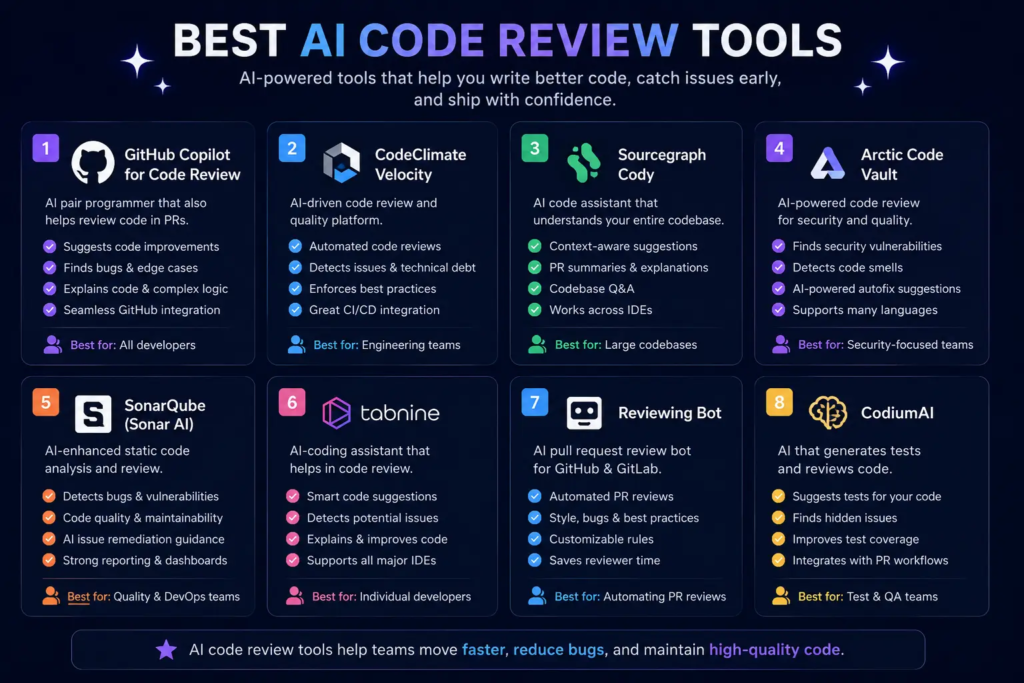
Greptile markets itself as codebase-aware, meaning it doesn’t just review the diff in isolation — it understands how that change interacts with the rest of your codebase. It recently rolled out a free tier with monthly review limits and unlimited authors, and it’s also free for open-source projects, which is genuinely useful if you maintain something on the side.
Cursor’s Bugbot — solid if you’re already in that ecosystem
If your team already uses Cursor as an IDE, Bugbot is worth turning on. It runs as an add-on for a monthly fee on top of your existing subscription, and the review quality was noticeably low-noise in my testing — it didn’t flood the PR with comments just to seem thorough.
The catch, and it’s a fair one: Cursor generates code and then reviews its own output. The team behind it says the architecture is intentionally adversarial (different models handle generation versus review), but it’s still worth a conversation with your team about whether you want a second, independent set of eyes somewhere in the pipeline.
Claude Code Review — the thorough (and slower) option
This one’s built into Claude Code and takes a different approach entirely — instead of one model doing a single pass, it dispatches multiple specialized sub-agents that each focus on a different dimension: bug detection, test coverage, performance, and so on. It caught things the single-pass tools missed, particularly around test coverage gaps, but it also took noticeably longer to return results on larger diffs.
How I’d actually pick one (step by step)
- Figure out your real bottleneck first. Is it review speed, security gaps, or overall code quality visibility? Don’t pick a tool because it’s popular — pick it because it solves the specific thing slowing you down.
- Start with a free tier or trial on a real repo, not a toy project. Tools behave very differently on messy, real-world code than on a clean demo repo.
- Check platform compatibility before anything else. Some tools only support GitHub and GitLab. If you’re on Bitbucket or Azure DevOps, that narrows the list fast.
- Watch the false-positive rate for the first week. If your team starts ignoring the comments because there’s too much noise, the tool has already failed, no matter how smart it is.
- Don’t turn off human review entirely. Every tool I tested still missed things a teammate with context on the project would have caught. Use AI review to catch the obvious stuff and free up your senior engineers for the judgment calls.
Mistakes I made along the way
I initially rolled out a tool across every repo on day one, including our legacy codebase with years of technical debt. It generated so many comments on old code that the team started tuning it out within a week. Lesson learned: start with your newest, most actively developed repos first, and expand from there once people trust the feedback.
I also assumed a lower price automatically meant a lower-quality tool, and that wasn’t true. Some of the leaner options caught issues the pricier ones missed, just with less polish in how the feedback was presented.
A quick reality check
None of these tools are magic. Independent benchmarking has actually started to catch up with the marketing — there’s now a public benchmark testing accuracy against real, documented CVEs, and results across tools have ranged from single digits up to over 80% detection accuracy on the same test set. That’s a huge spread for tools that all market themselves as “AI-powered code review.” So don’t take any vendor’s homepage claims at face value — look for independent benchmarks before committing your team’s workflow to one tool.
Final thoughts
If I had to sum up a few weeks of testing in one sentence: AI code review tools are genuinely useful for catching the boring, repetitive stuff — missed null checks, inconsistent error handling, forgotten test cases — freeing up actual humans to focus on architecture and business logic. They’re not a replacement for a teammate who knows your codebase’s history and quirks.
Pick based on your actual bottleneck, test it on real code before rolling it out team-wide, and don’t be afraid to run two tools side by side for a month before deciding. That’s exactly what caught my next almost-mistake — a race condition that CodeRabbit flagged before it ever reached staging.








Leave a Reply